
croit v2608.0: croit Enhanced, MDS notifications, load-balanced S3
With v2608.0, croit ships its own Ceph build alongside the upstream one, a CephFS volume can stream every change it makes as an event, and S3 gateways can sit behind a load balancer croit configures for you.
croit Enhanced: our own Ceph build
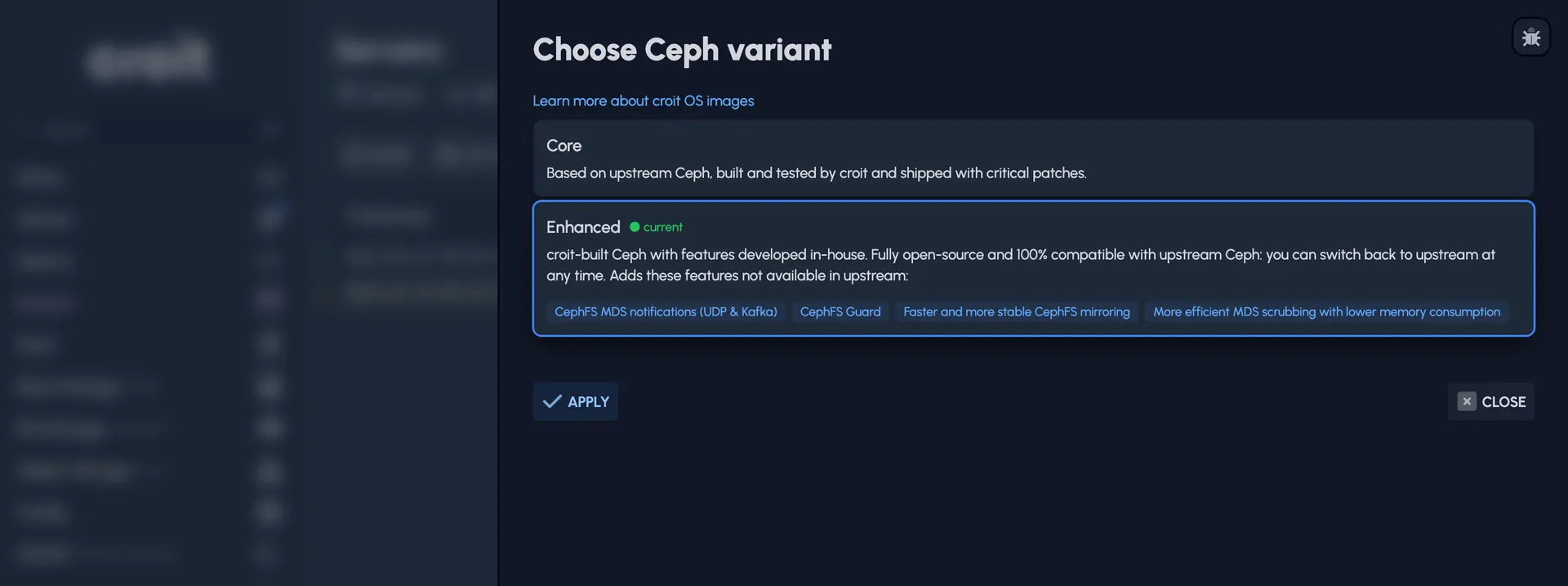
Our OS image now comes in two variants. Core is the image you have been running: upstream Ceph, built, tested and patched by croit. Enhanced runs croit's own build, with custom features developed in-house:
- Improved CephFS mirroring. Faster, more controllable replication and safer metadata maintenance: efficient snapdiff-based synchronisation through low-level libcephfs APIs, balancing across several filesystems, interruption-aware recovery, and detailed metrics.
- Improved MDS scrubbing. Less cache pressure, damaged directory objects handled gracefully, live progress, and a simpler cleanup after a repair. Without our patches, scrubbing a filesystem of production-grade size may need a terabyte of memory or even more; with them you will not notice the extra memory requirement.
- CephFS MDS notifications, which the next section covers.
- CephFS Guard, our experimental ransomware defence, covered further below.
Enhanced stays open source and fully compatible with upstream Ceph, so you can move a cluster back to Core at any time without migrating or moving data. Choose the variant during setup, or later under Servers → Images → Change Ceph Variant. Enhanced is available for Tentacle and Reef.
Learn more about croit OS images →
Stream every CephFS change with MDS notifications
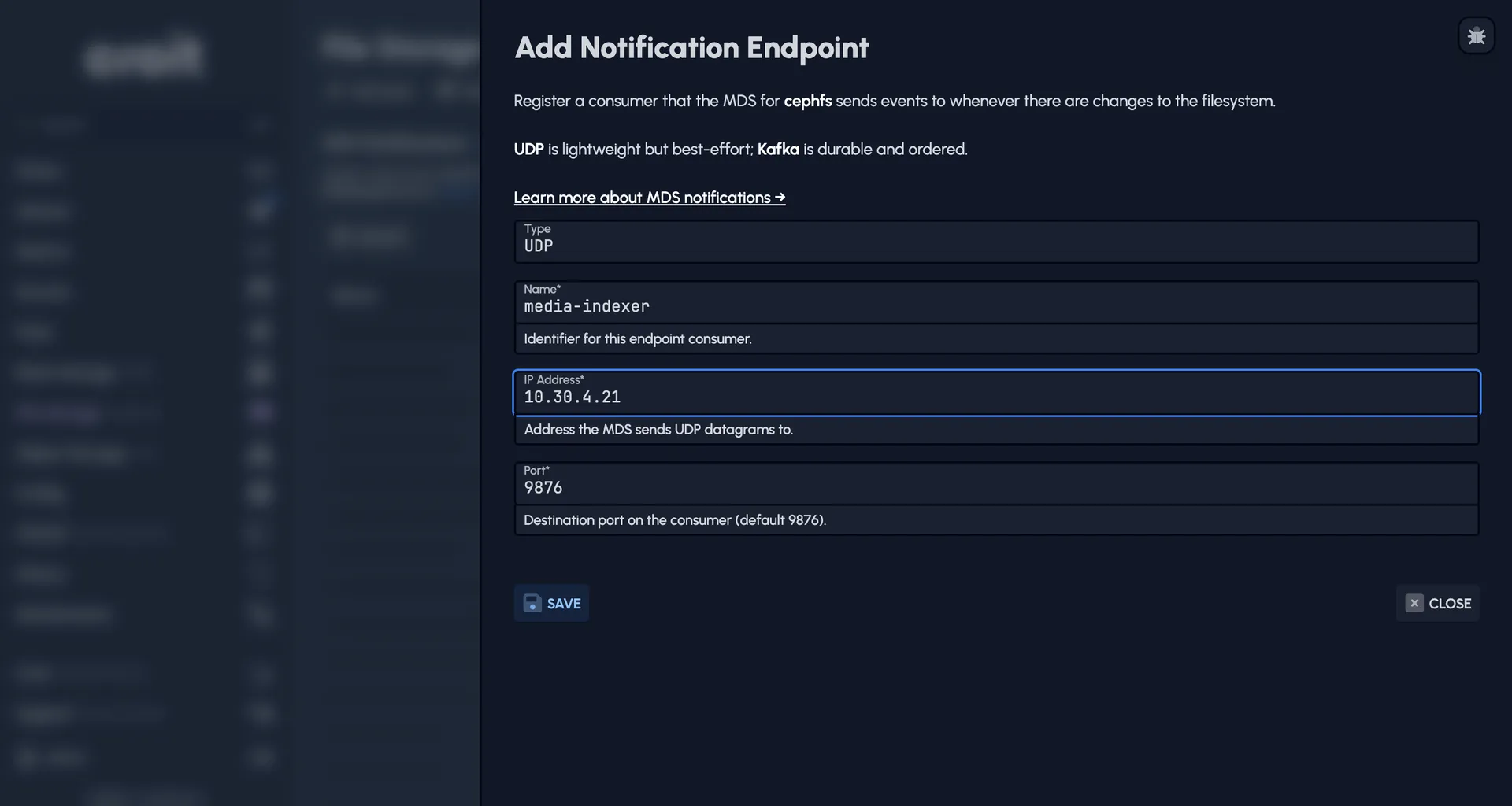
MDS notifications are one of the features that come with the Enhanced image. A CephFS volume can stream every file and directory change as it happens: the metadata server emits an event whenever a path is created, deleted, modified or moved, and sends it straight to the consumer you register, over UDP for a lightweight fire-and-forget feed or over Kafka when you want events durable and in order.
That turns a filesystem into something the rest of your stack can react to: reindex on write, kick off a transcode, feed an audit trail. It serves a similar purpose to Windows File and Folder Auditing, so the same kinds of applications apply. Register the endpoints per volume under File Storage → Notifications.
Learn more about MDS notifications →
Load balance S3 with HA Proxy
You can now put HA Proxy in front of your S3 gateways and let it spread the traffic across all of them. Create an HA group for the gateways you want to serve, turn on HA Proxy in the setup wizard, and pick the servers that will run HA Proxy; they do not have to run RGW themselves. The group's virtual IP sits on one of those servers and moves to another if it fails.
You can choose between two modes: HTTP terminates TLS on HA Proxy with the same certificate your gateways serve and balances per request, while TCP passthrough forwards the encrypted stream untouched and balances per connection.
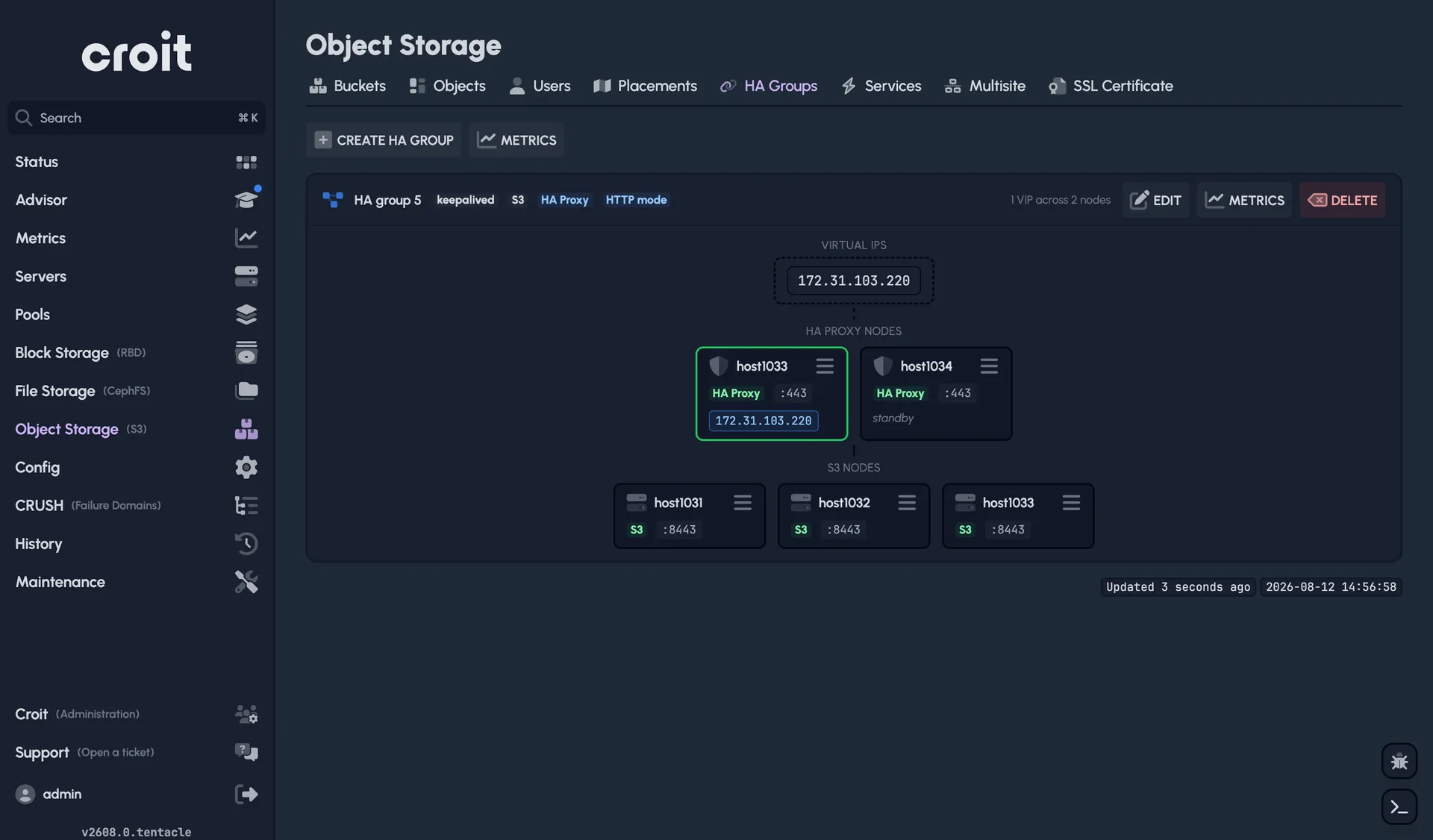
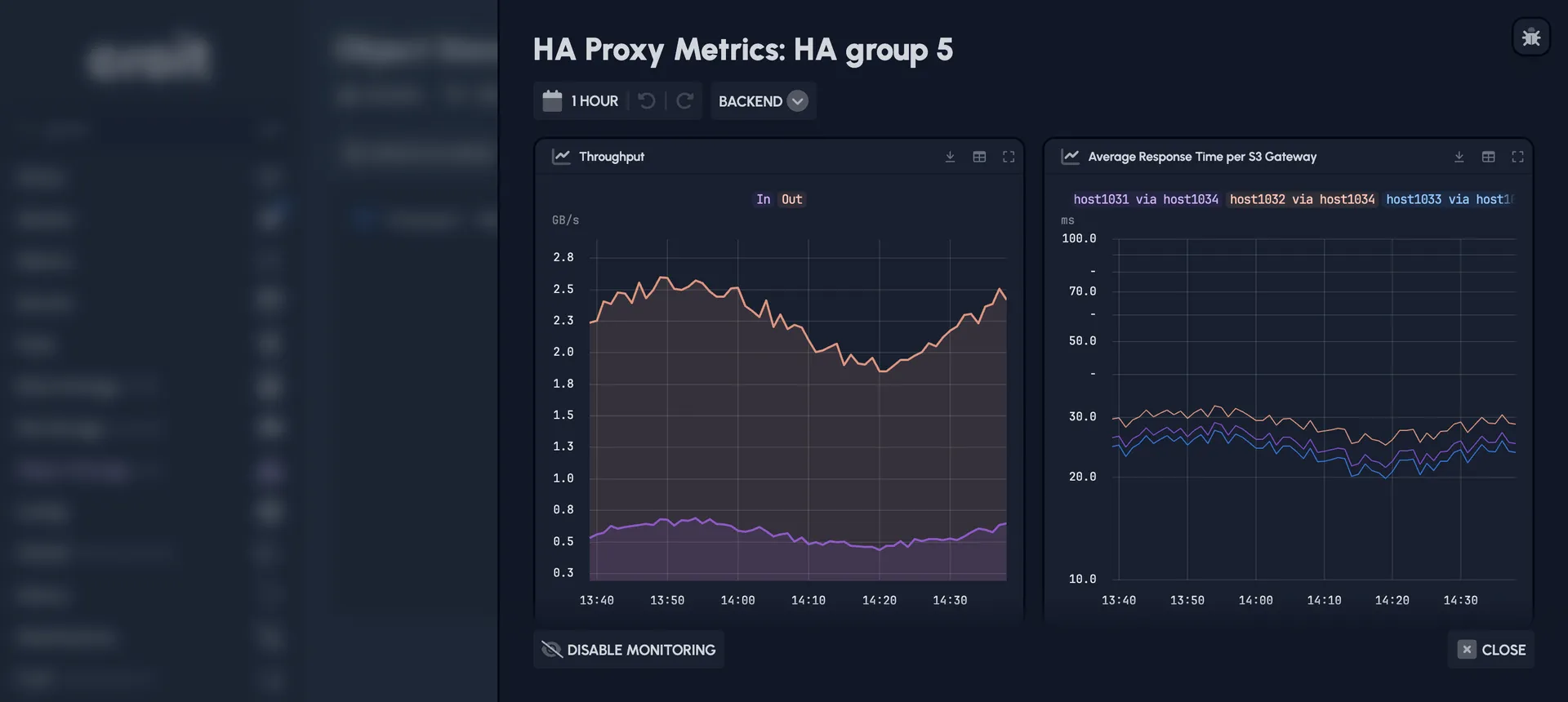
You can also switch on monitoring for HA Proxy, which charts both sides of the proxy: the clients reaching it, and the gateways it forwards to.
Learn more about load balancing with HA Proxy →
A redesigned S3 object explorer
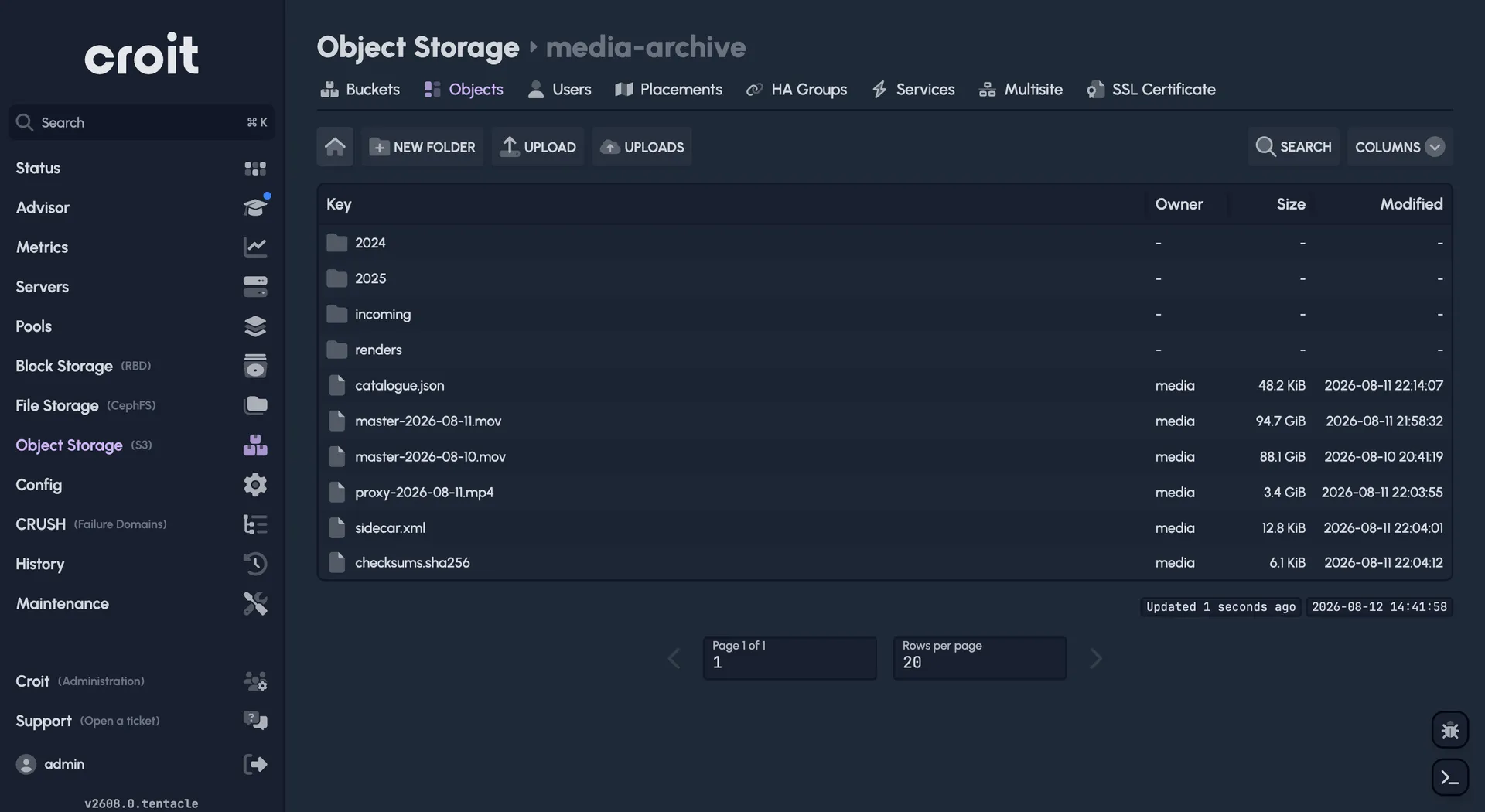
The S3 object explorer has been redesigned to make prefixes navigable in a folder-like structure. The explorer now matches the CephFS explorer more closely, and lets you browse S3 buckets much like a filesystem.
Report a bug without losing your place
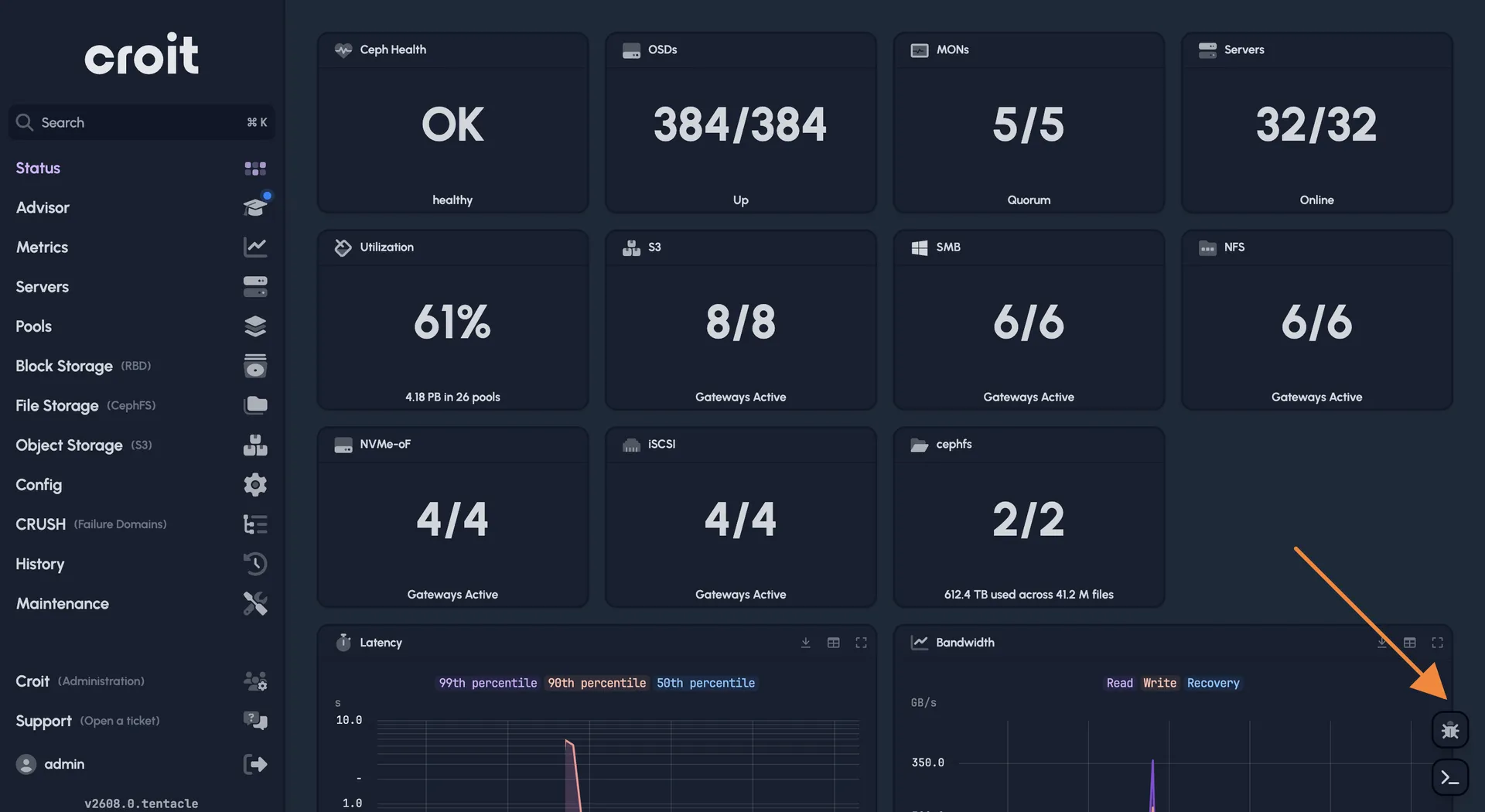
Every page now carries a bug report button in the bottom right:
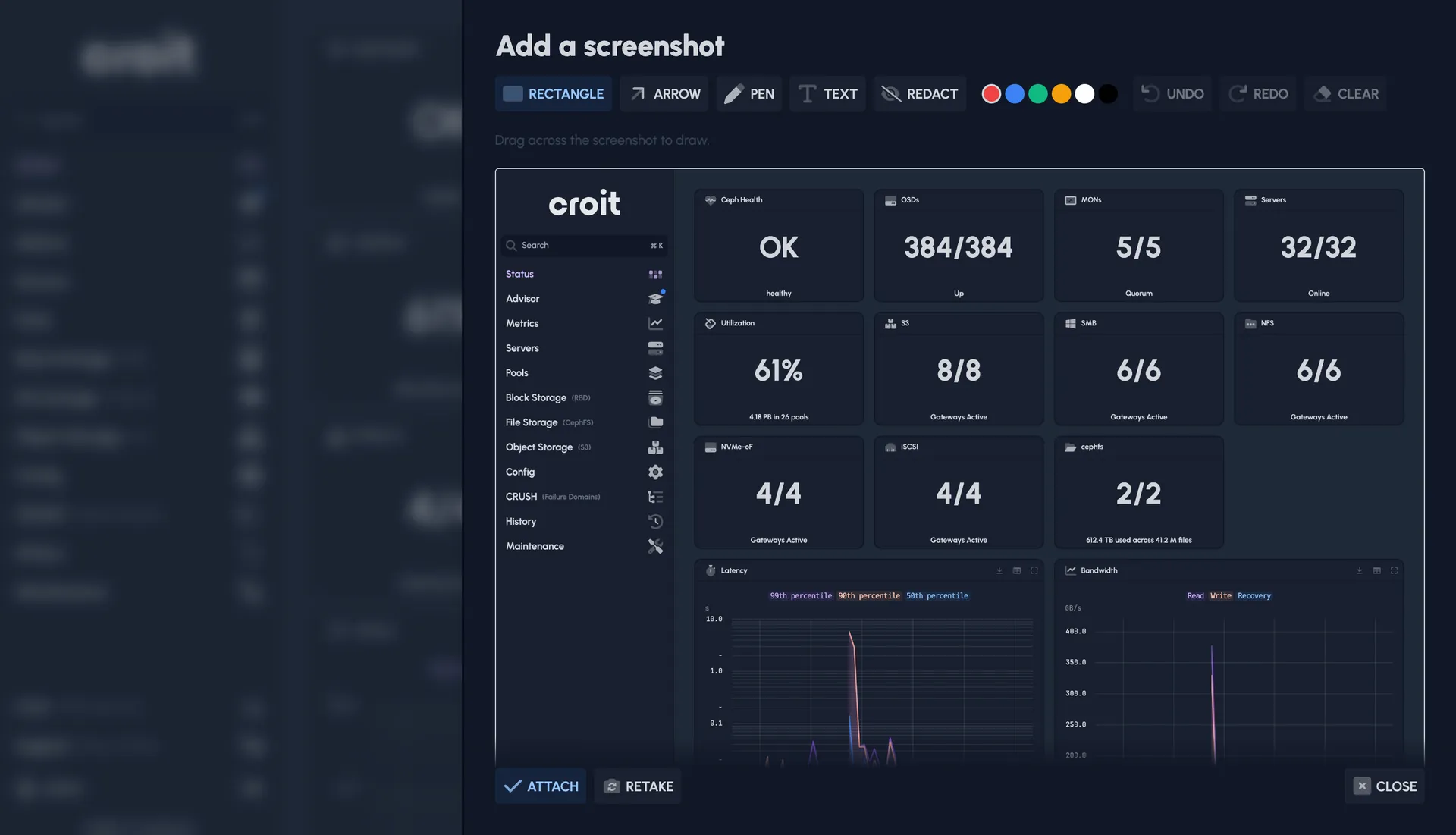
It also supports attaching a screenshot to your report, with tools to edit it:
Bug reports go to our developers rather than our support team. If you need an answer, please open a support ticket instead.
If you would rather not have the button, you can turn it off in your user preferences (click your username at the bottom left of the page).
Experimental: CephFS Guard, catching ransomware while it runs
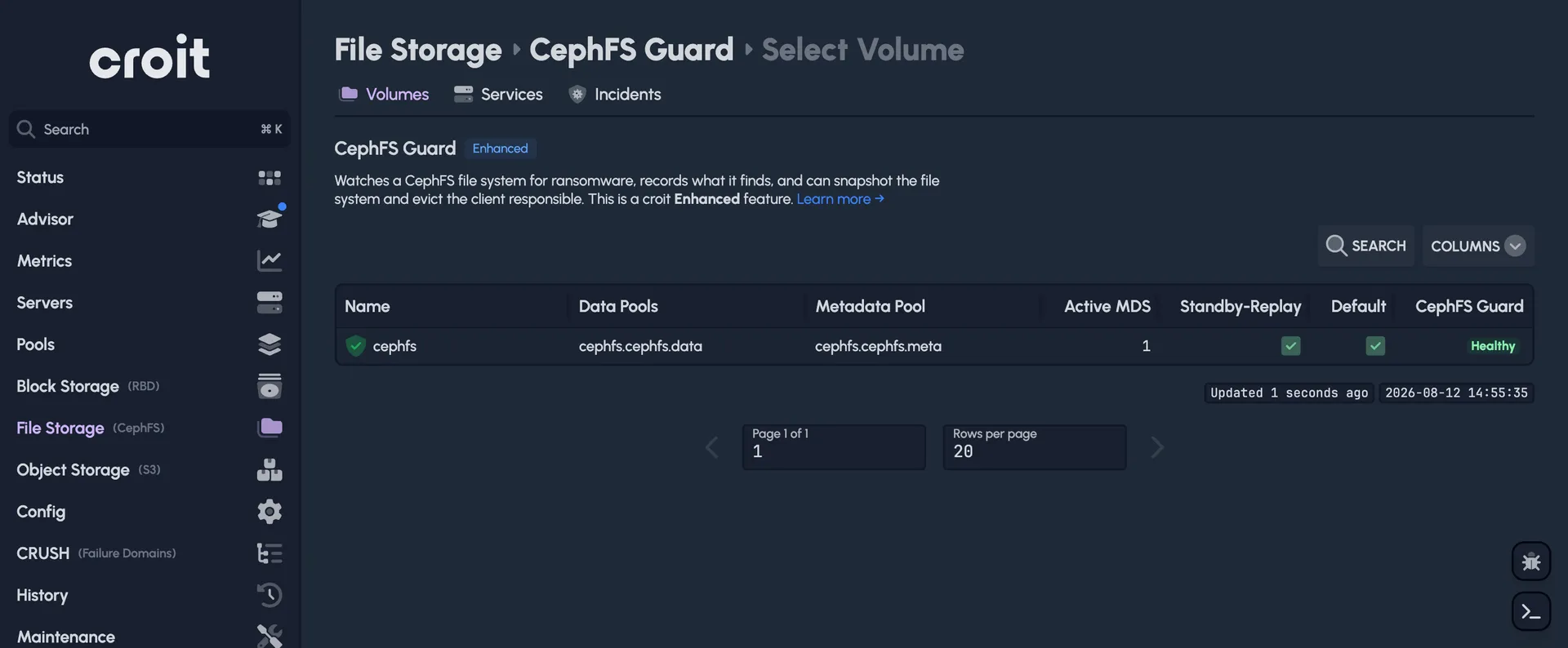
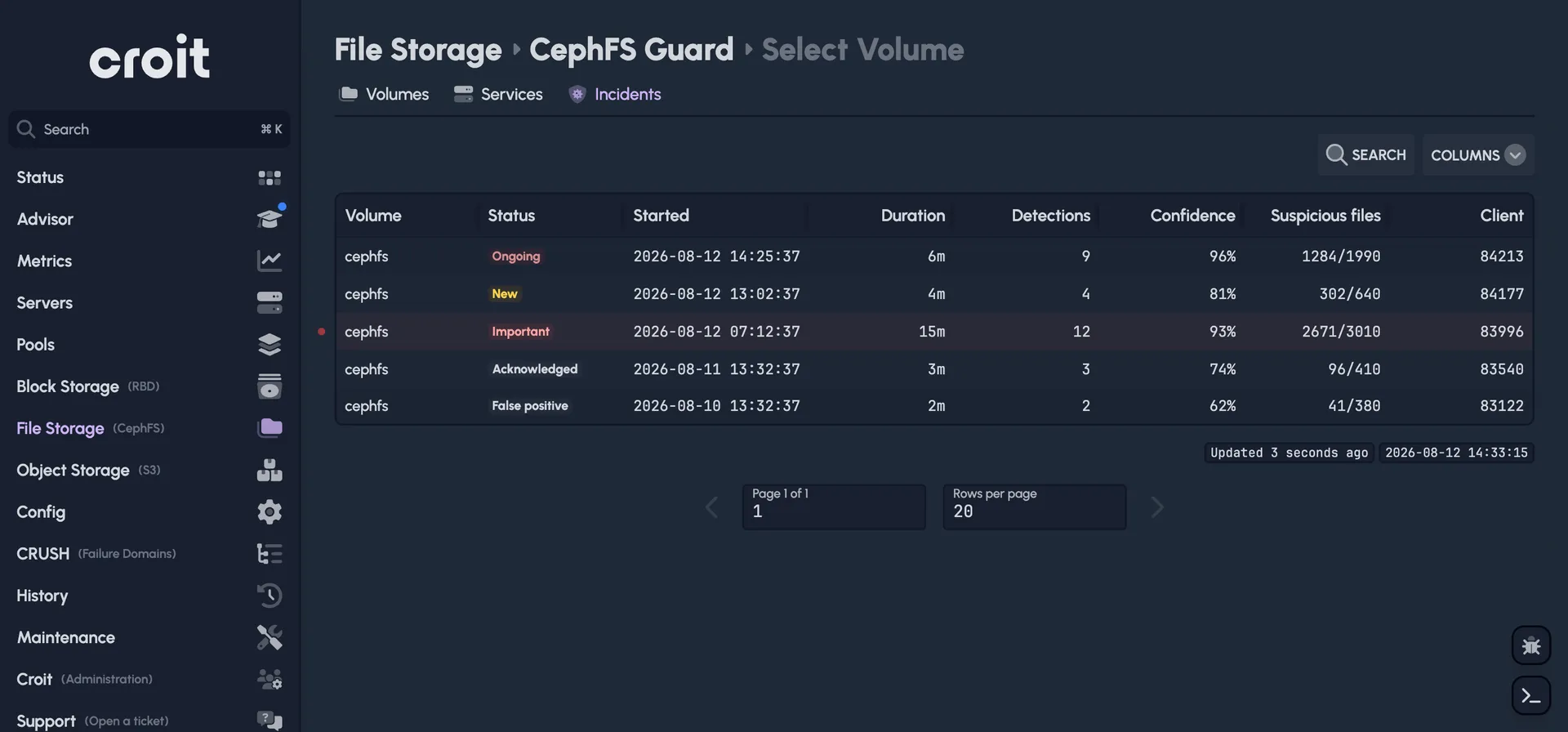
CephFS Guard is a new experimental feature for securing a CephFS filesystem against ransomware and other malicious clients. It watches a volume as it changes, using the MDS notifications above, and comes with several detectors that look out for destructive behaviour on the filesystem. Once it finds a suspicious client, it logs warnings in the croit UI, and can also evict the client automatically or take an emergency snapshot.
CephFS Guard is enabled per volume, with several instances running across your cluster for high availability:
Any detections are managed in the croit UI:
CephFS Guard is experimental in this release, so try it before you rely on it. Because it builds on MDS notifications, it requires the croit Enhanced image.
Learn more about CephFS Guard →
Also in this release
- The management node keeps time with
chronyinstead ofntpsec. - Task Advisor findings link to the matching page of our documentation, and it now warns when no default gateway is configured.
- You can include a screenshot when you open a support ticket.
- Collecting S3 bucket statistics puts much less load on the gateways.
24/7 premium support
Running croit in production? Our team is available around the clock to help with upgrades, capacity planning, and incident response.