
croit v2609.0: Build your own OS image, NVMe-oF that fails over, replace a drive from the UI
v2609.0 turns croit's OS images into ordinary container images you can extend and host yourself, makes NVMe-oF highly available, and makes replacing a failed OSD easier from the croit UI. The release notes carry the full list of changes.
OS images are container images now, and they can be yours
A croit OS image is now an OCI container image, the same kind of image Docker builds and runs, published in an OCI registry. That changes what it takes to have your own: write a short Dockerfile that starts FROM a released croit image, add the packages, certificates, configuration files or systemd services your environment needs, and build it with Docker or OCI alternatives like Podman. The resulting image can be used for booting your croit nodes. Everything that used to need a hook script running on each boot can now be baked into the OS image directly.
To use your custom OS image in croit, push it to a container registry and add the registry under Servers > Images:
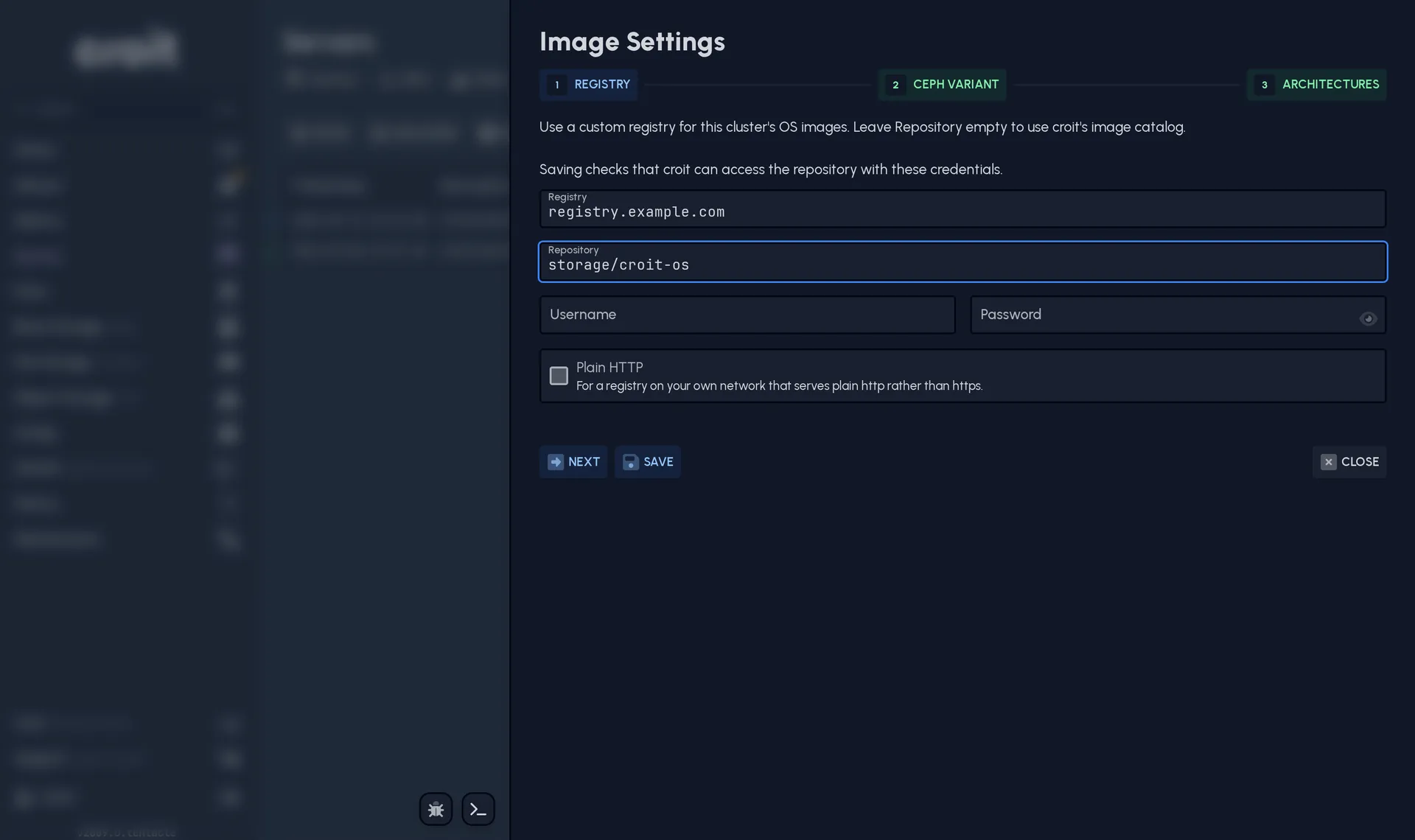
Only the management node needs to reach that registry: it'll download and prepare an image so your nodes can boot it, just like with official croit OS images.
This also replaces the Extended image, which carried a fixed set of extra packages and is no longer built. The documentation lists what it contained and gives you a Dockerfile that reproduces it, so a cluster that relied on it can move over in one build.
Learn more about custom OS images →
NVMe-oF is highly available now
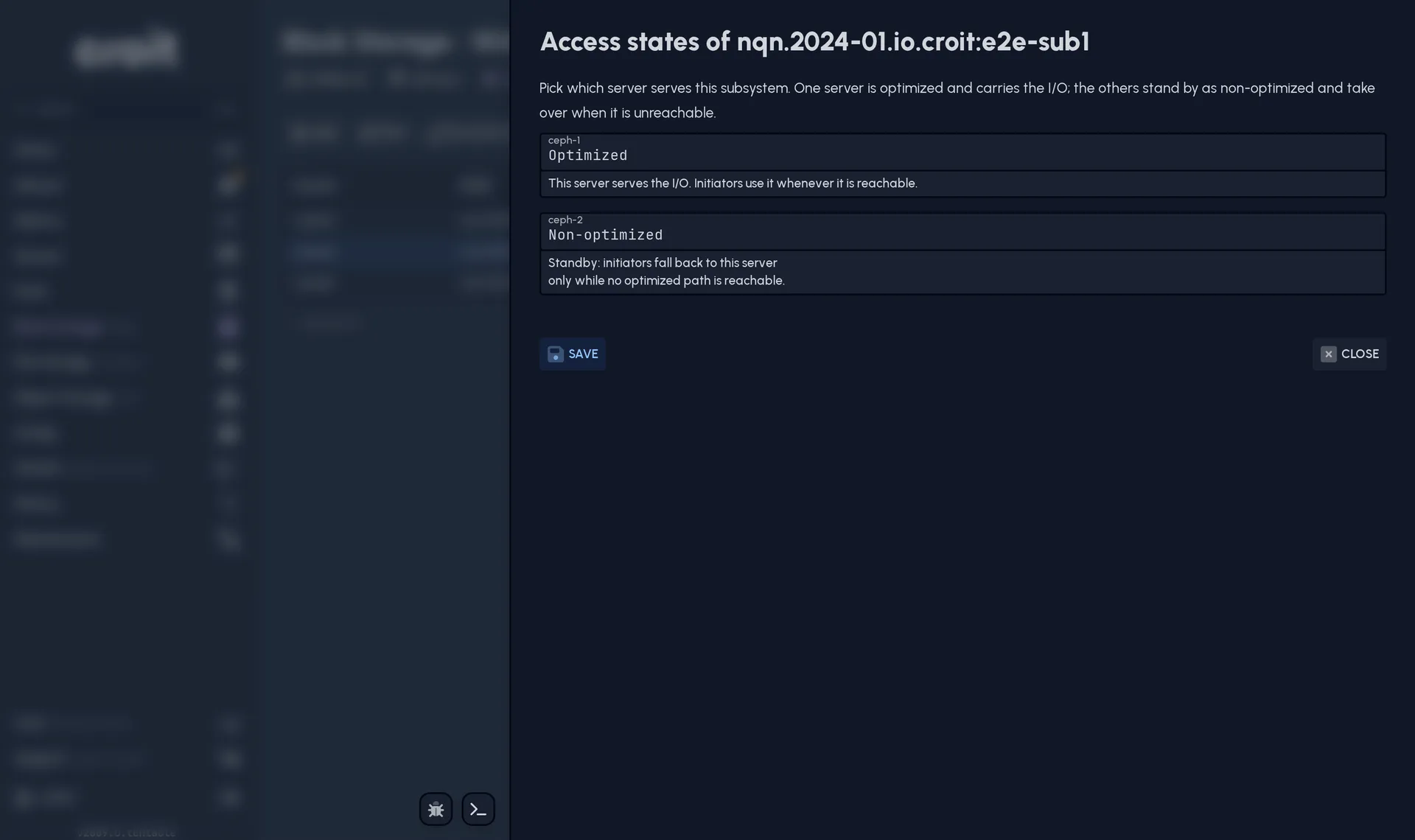
An NVMe-oF export is served by several gateways at once, one active and the rest on standby, so losing a gateway is a failover rather than an outage. Until now an export was served by exactly one gateway: every other gateway held the same namespace in a state no initiator could use, because two gateways writing the same image independently risks silent corruption.
When the active gateway fails, freezes or loses contact with the cluster, connections fail over to a standby, and a gateway that recovers offers a path again on its own. Ceph's own exclusive lock on the image decides who owns it and fences whoever lost it, so the handover is safe against a gateway that is merely slow rather than dead.
Replace a failed drive from the UI
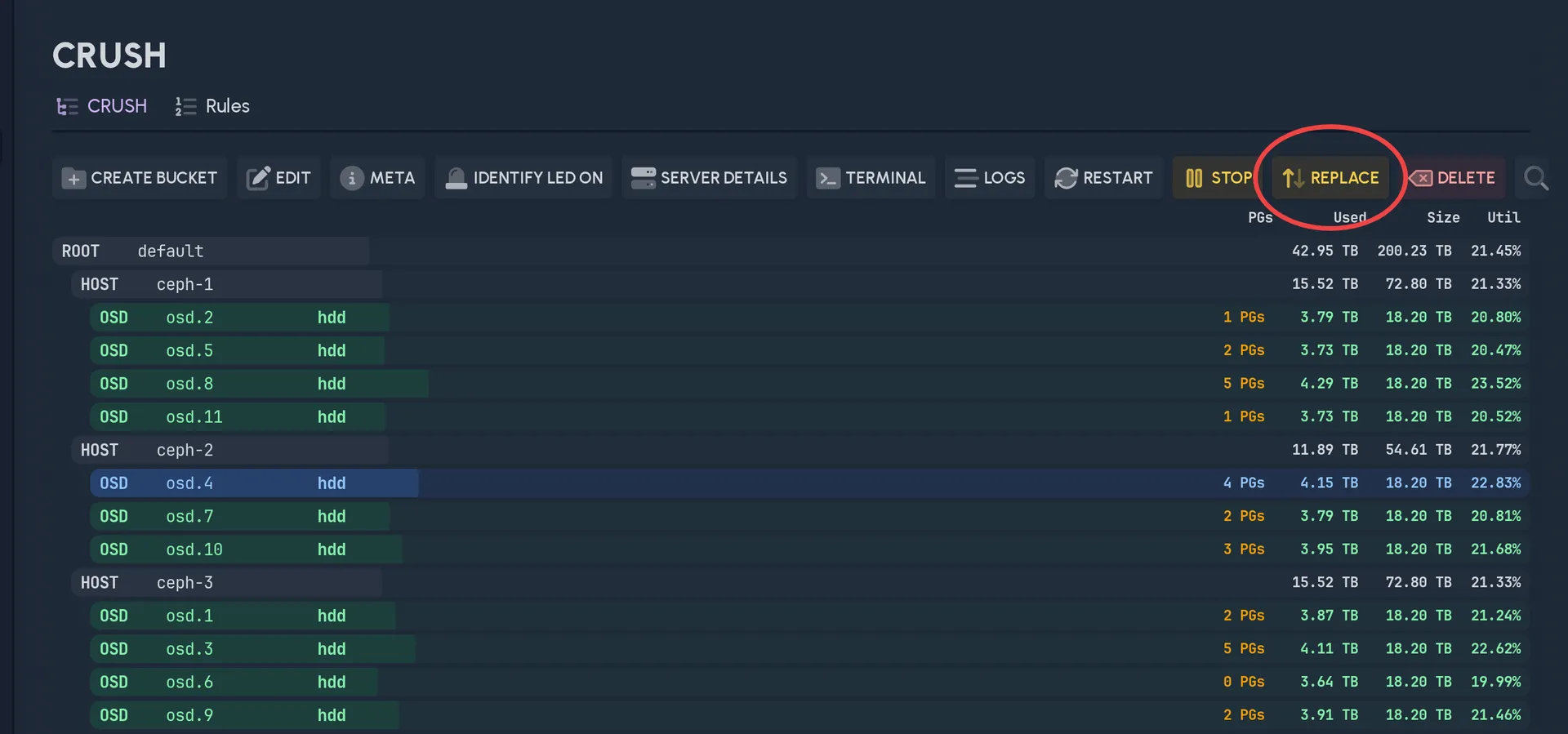
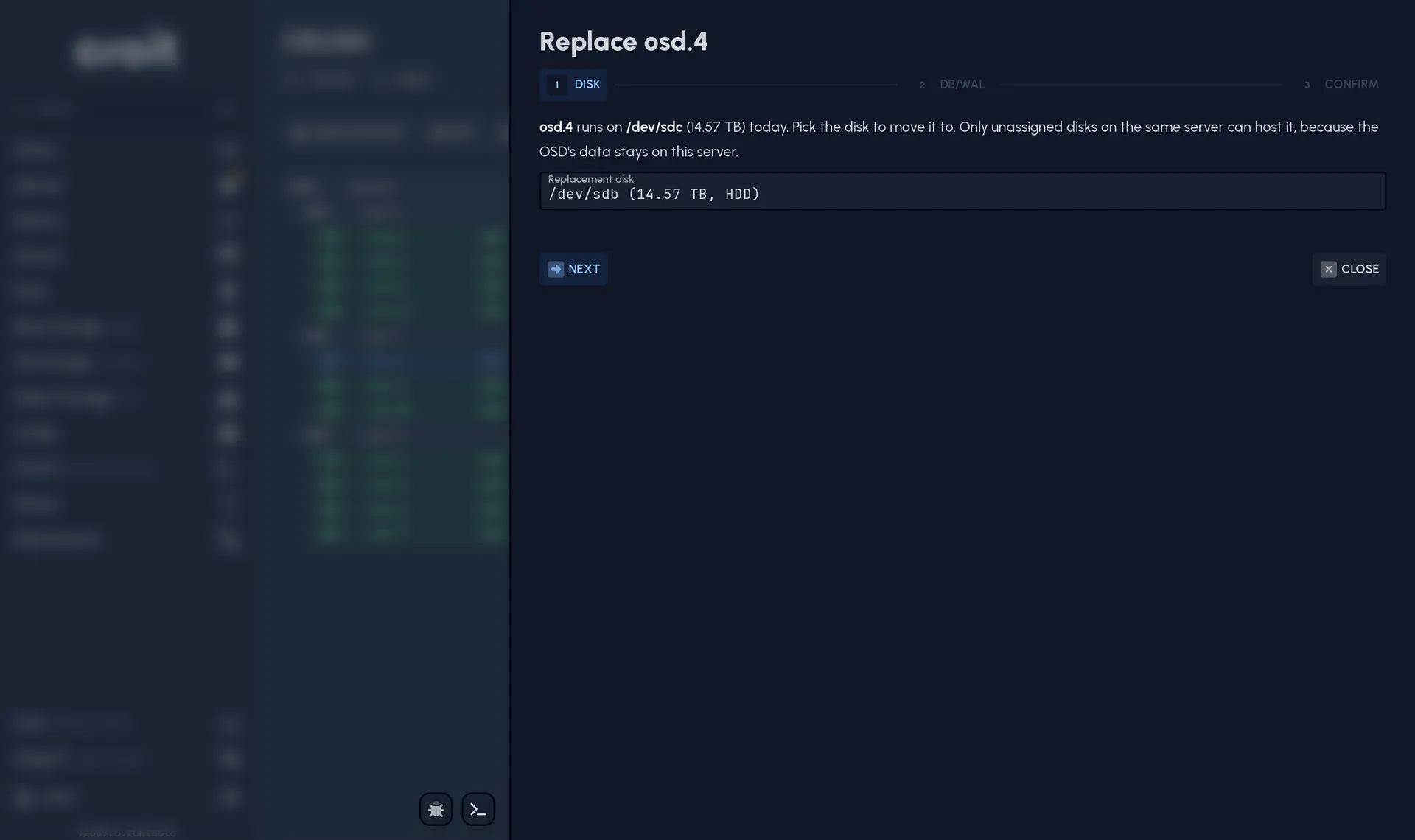
The croit UI now offers a wizard to replace an OSD: pick the failed OSD, pick a spare disk in the same server, and croit reuses the OSD's ID and its place in the CRUSH map, so the cluster refills the same slot instead of rebalancing around a new one.
croit has been rewritten from Kotlin to Go
A big part of the croit management application was written in Kotlin and has now been rewritten in Go. The Java runtime is gone from the container, and croit now depends on far fewer third-party libraries, which means fewer places to inherit a vulnerability from and therefore fewer security updates required. Building the application is now much faster than with Kotlin, which is felt mostly on our side: a change is built and tested in minutes rather than tens of them, so we iterate faster and a fix reaches you sooner.
The port was also the moment to improve how the application is put together, including the way croit talks to Ceph. Recurring Ceph commands now go over one open connection instead of starting a new process every time, which takes a large amount of load off the management node.
A rewrite of this size has a lot behind it, so we will give it a blog post of its own soon with some more numbers.
IPv6-only clusters
A cluster can now run entirely on IPv6, from PXE boot through Ceph itself, with no IPv4 anywhere on the link. A few croit Enhanced features are not available on IPv6 yet.
The Ceph security update
v2609.0 ships Ceph Tentacle 20.2.4, which closes four security issues: an authentication bypass in CephX (CVE-2025-30156) and three ways a client could obtain permissions it was never granted (CVE-2026-39944, CVE-2026-50152, CVE-2026-54330).
These security changes require every Ceph key in the cluster to be renewed. All the existing keys use an insecure encryption algorithm and are vulnerable because of it. The croit UI provides a guide to make this renewal process easier. While we are still verifying and testing that guide a bit more, it is hidden behind a feature flag (croit enable guided key renewal). Please also note that many clients (kernel clients in particular) are not patched yet, and may not be compatible with the new, secure Ceph keys.
One of the fixes changes behaviour with RGW. RGW now rejects an S3 request whose signature does not cover every header, and the request RGW itself makes to replicate between sites is such a request, so multisite replication breaks for as long as a paired cluster runs an older Ceph. croit sets the compatibility option for you while it updates the cluster, and reminds you to turn it back off once every site is updated, so a rollout that takes days costs you neither replication nor the fix.
Learn more about these changes →
Also in this release
- croit can boot servers over a tagged VLAN, for switches configured as trunk ports with no native VLAN.
- SMB shares are served from a kernel CephFS mount instead of a Samba module, which resolves several ownership, permission and directory-listing problems. Advanced Samba parameters can be set per gateway and overridden per share.
- A network change on a node, a cable plugged or unplugged included, shows up in croit within seconds instead of minutes.
- You can change the IP of a monitor's server, and configuration backups can be taken against a custom MariaDB connection.
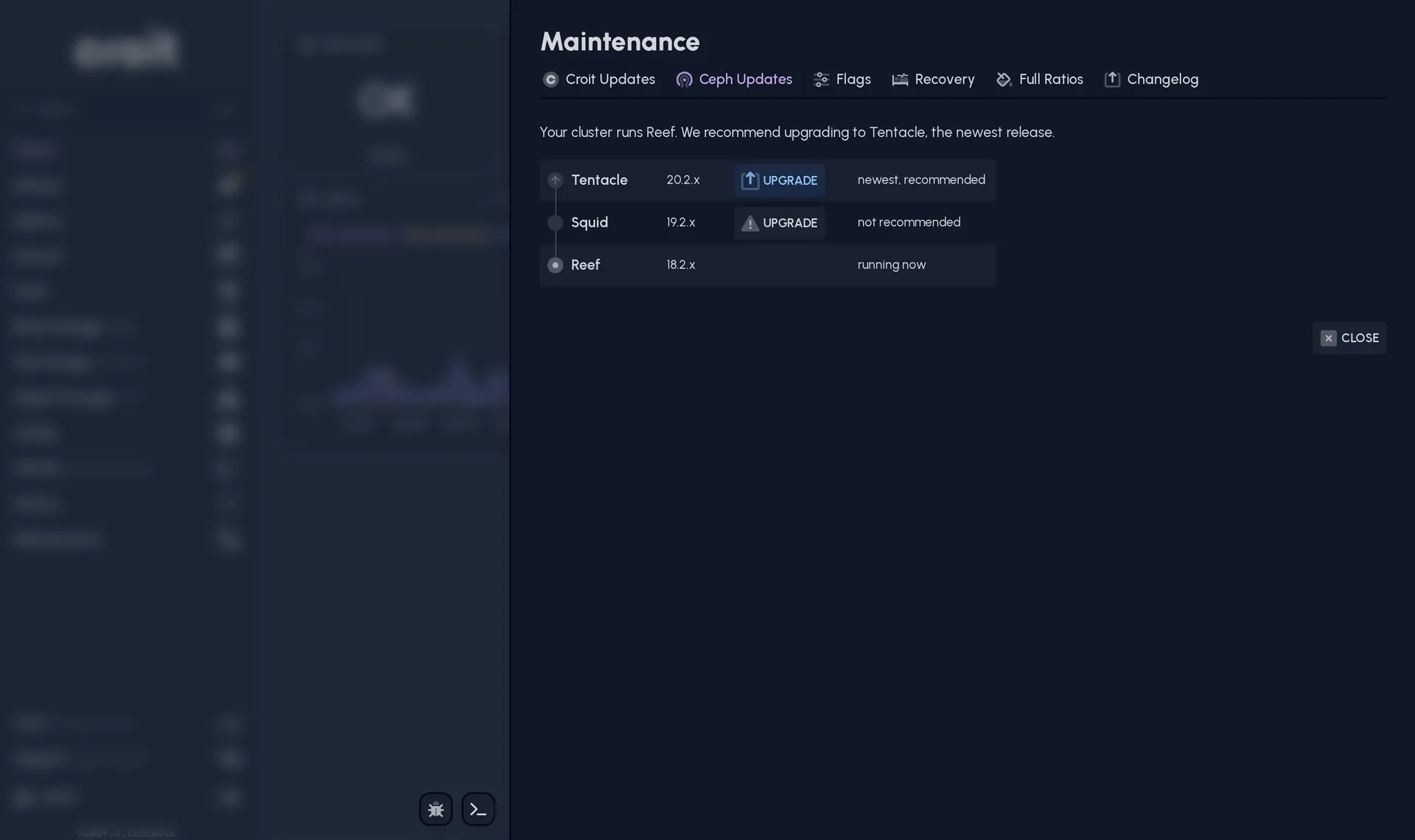
- The Ceph update dialog has been redesigned, so the release order and the version we recommend are easy to see.
24/7 premium support
Running croit in production? Our team is available around the clock to help with upgrades, capacity planning, and incident response.