
Meet the croit AI assistant
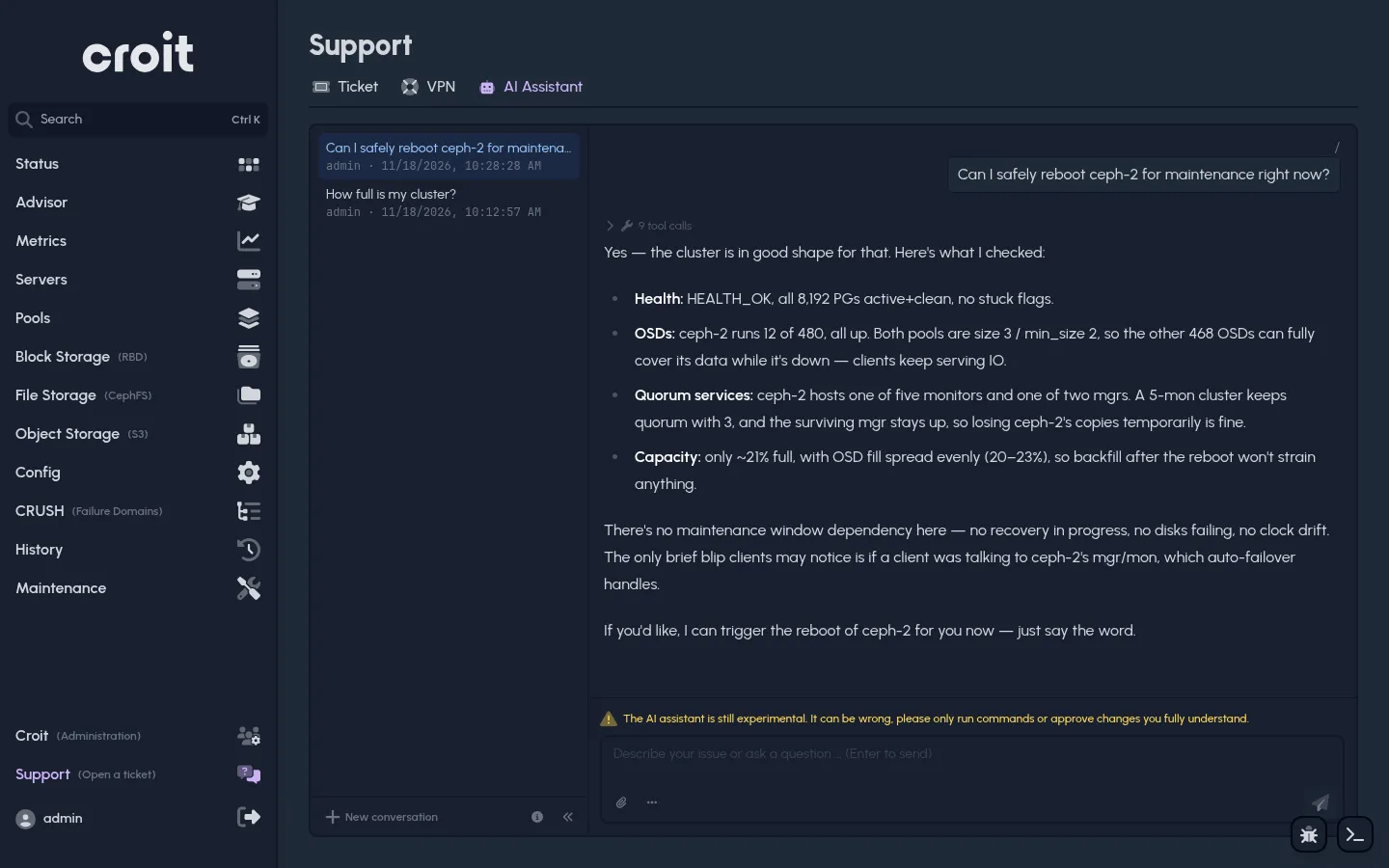
Starting with v2611.0, croit has an AI assistant built into the UI. Ask it why the cluster is in HEALTH_WARN, which disk is about to fail, or how to replace an OSD, and it answers from your cluster's live state. When the answer is a change, it prepares the change and puts it in front of you. Nothing runs until you approve it.
The model runs on croit's own hardware. No third-party AI provider sees your cluster data.
Private by design: croit's own hardware
Your cluster holds your data, and that data has to stay private. So our goal was an assistant that involves no third party, where we can guarantee that your conversations stay private.
Conversations are stored locally in your croit installation. While the assistant answers, croit's servers hold the conversation in memory only, and nothing is written to disk on our side. The one exception is when you tick Help improve the AI assistant: then croit may store a copy of conversations to improve the assistant. You're asked about it the first time you open the assistant, and you can change it later in the settings.
All of this runs on croit's own hardware, powered by AIplane, our open source AI platform, with open source language models. No third-party AI provider is involved.
An assistant with access to your cluster
The assistant reaches your cluster through MCP tools. Some are built for quick access to what most questions need, such as cluster health, disks and their SMART reports, OSDs and logs:
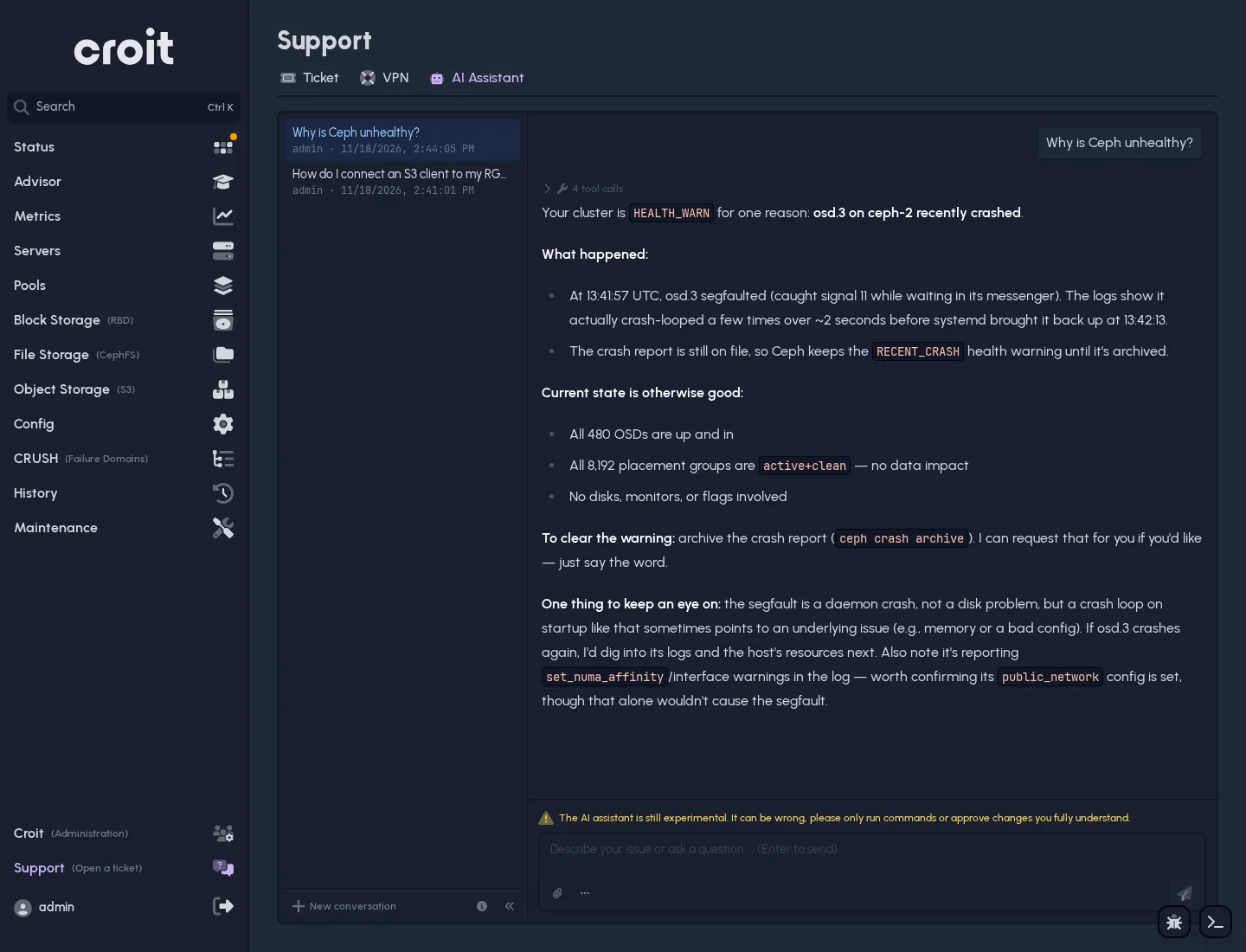
It also has access to the MCP server built into croit, which gives it effectively the entire croit API. In the settings you control which tools the assistant may use, and which of them need your approval first. In general the assistant may read from your cluster, with secrets and keys masked, but it always needs your explicit approval to make actual changes.
The assistant is also available on every page, through a button in the bottom right corner. It opens in a floating window and knows where you are in the croit UI, so you can ask about what you're looking at:
Approving changes to your cluster
When the assistant wants to change your cluster, such as adding a setting, setting up a new service or even deleting data, it asks for your explicit approval first. Nothing runs until you click Approve.
The croit UI shows you the change before you decide: what will be created or changed, with the current value next to the new one, and the exact API request if you want to see it.
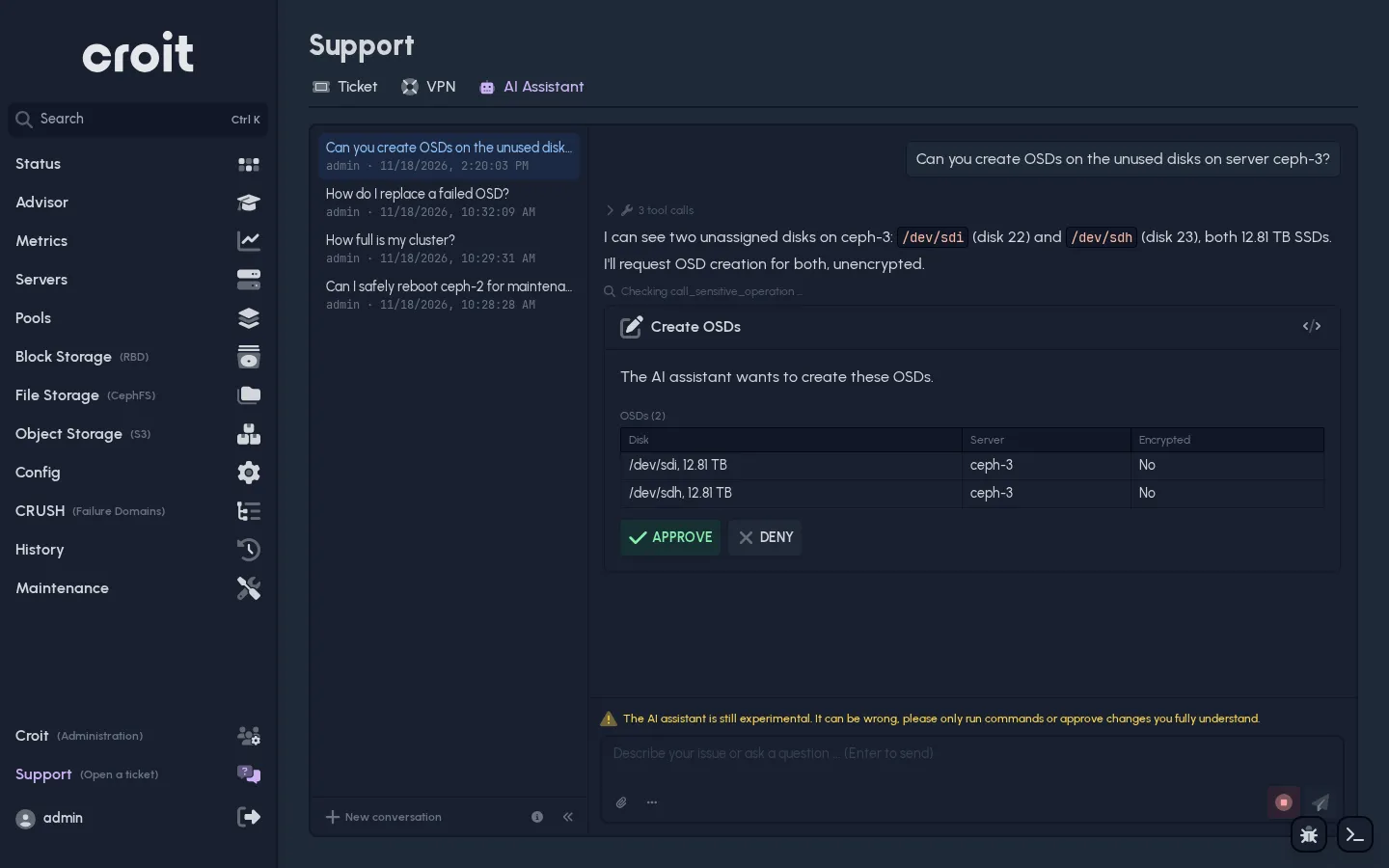
This view isn't polished yet for every API operation. And don't blindly trust the assistant on what it thinks your cluster needs.
Instead of having the assistant make the change for you, you can also ask it how to do something. For common tasks it guides you through the croit UI:
We're still working on these guides. The first ones cover checking a disk's SMART status, creating an OSD and replacing an OSD.
Bring your own AI agent
If you already work with an AI agent such as Claude Code or opencode, you can connect it to croit directly: every croit installation now runs an MCP server, the open standard AI agents use to reach other software. Open Croit > API Tokens and click Connect AI agents for the setup steps, with your croit's address already filled in. Our post croit has an MCP server: connect your own AI agent covers what an agent can do and how to keep it safe.
Keep in mind that your agent's AI provider then receives the conversation and everything the agent reads from your cluster, so we can't guarantee the same privacy as with croit's own assistant.
24/7 premium support
Running croit in production? Our team is available around the clock to help with upgrades, capacity planning and incidents.