
croit v2611.0: an AI assistant, an MCP server and capacity forecasts per device class
v2611.0 brings AI into croit in two ways: an AI assistant built into the croit UI, and an MCP server that lets your own AI agents work with your cluster. It also adds a capacity forecast for each device class, and the new croit OS images boot Linux 7.2. The release carries a number of security fixes, so we recommend updating. The release notes carry the full list of changes.
The croit AI assistant
croit now has an AI assistant built into the UI. Ask it why the cluster is in HEALTH_WARN, which disk is about to fail, or how to replace an OSD, and it answers from your cluster's live state. Every lookup it makes shows up in the conversation, so you can check what its answer is based on.
Please note: the AI assistant is still being tested and can be wrong. Check what it tells you, and only approve a change you fully understand.
The assistant runs on LLMs on croit's own hardware powered by AIplane, so no third-party AI provider sees your cluster data. Admins can turn it off cluster-wide with the croit setting croit enable ai assistant.
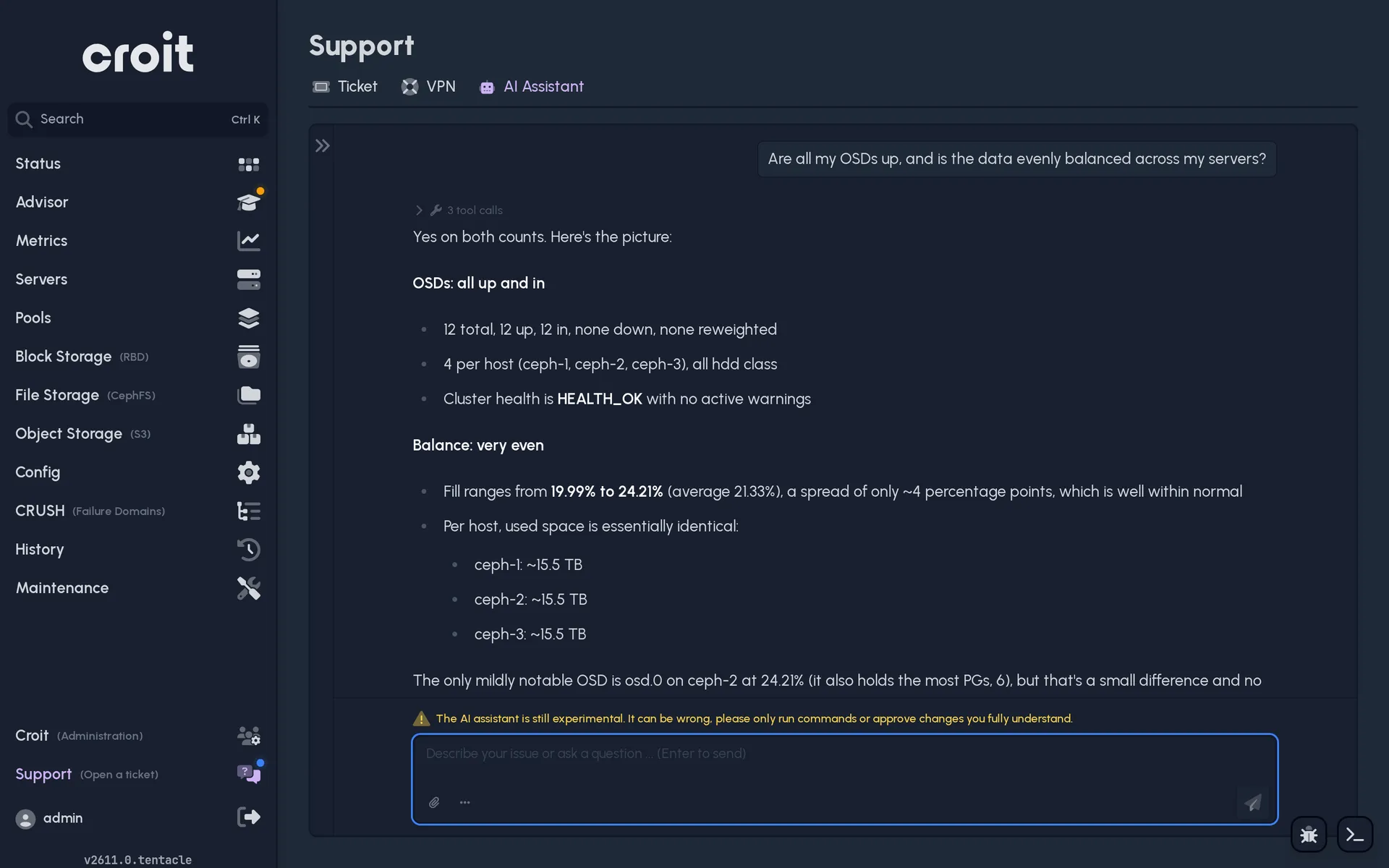
You find it under Support > AI Assistant, and behind the floating button in the bottom right of every page. The button opens the same chat over the page you are on, so you don't have to leave what you are looking at.
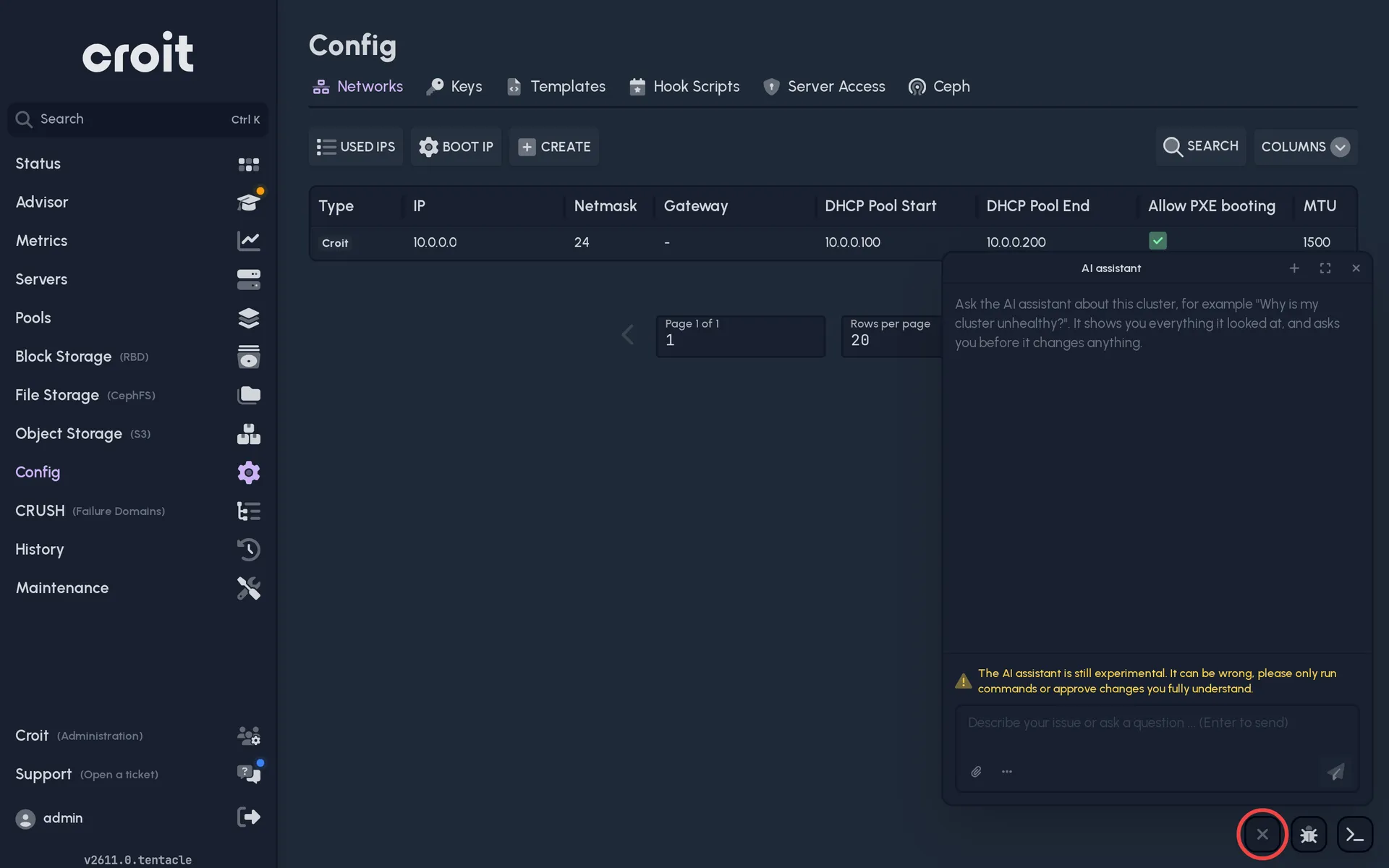
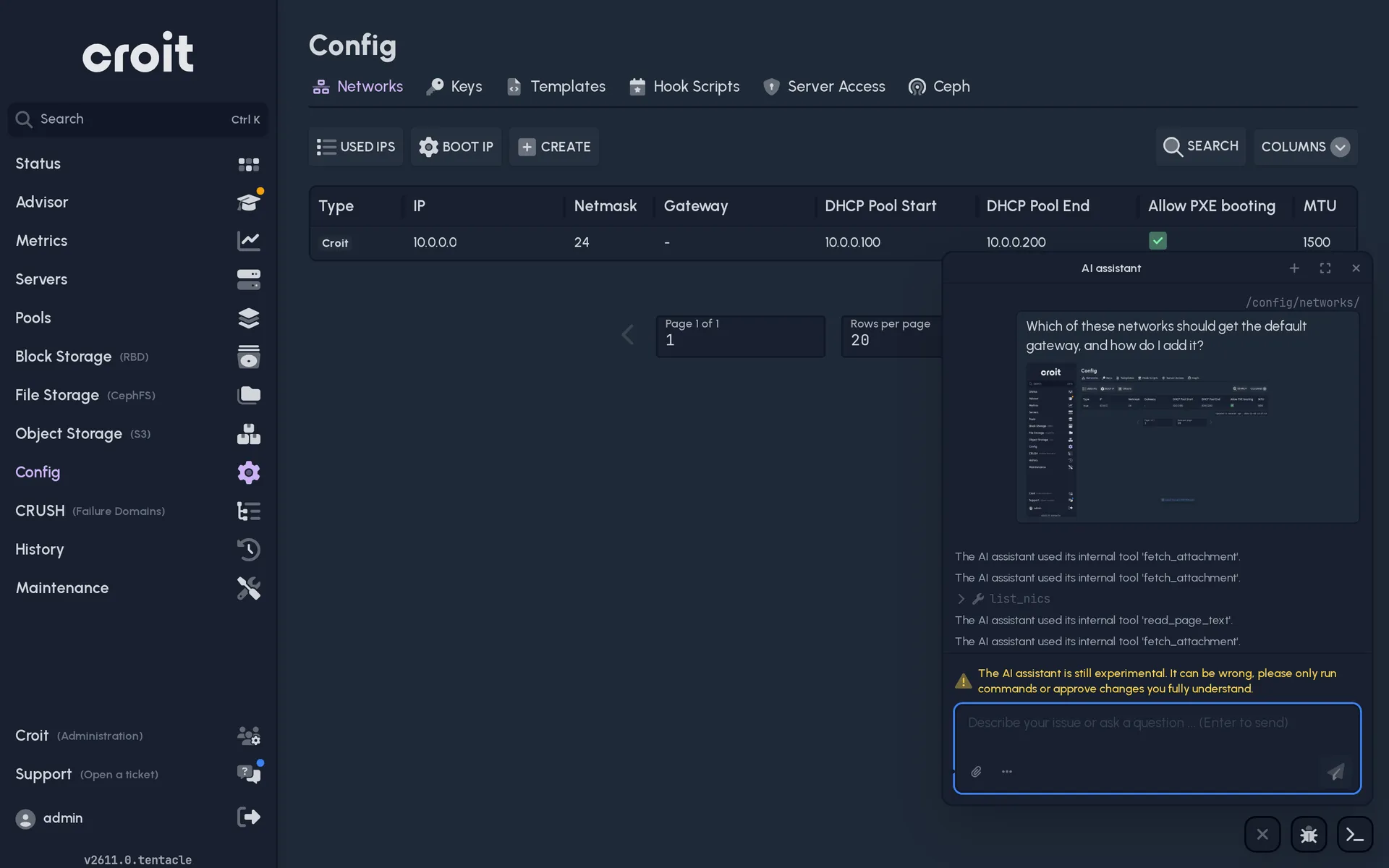
That also lets you ask about what is in view. Attach a screenshot of the page from the chat, and the assistant reads it along with your question.
When the answer is a change, the assistant prepares it and shows it to you as a card that says what it will change. Nothing runs until you approve it, and then it runs as you.
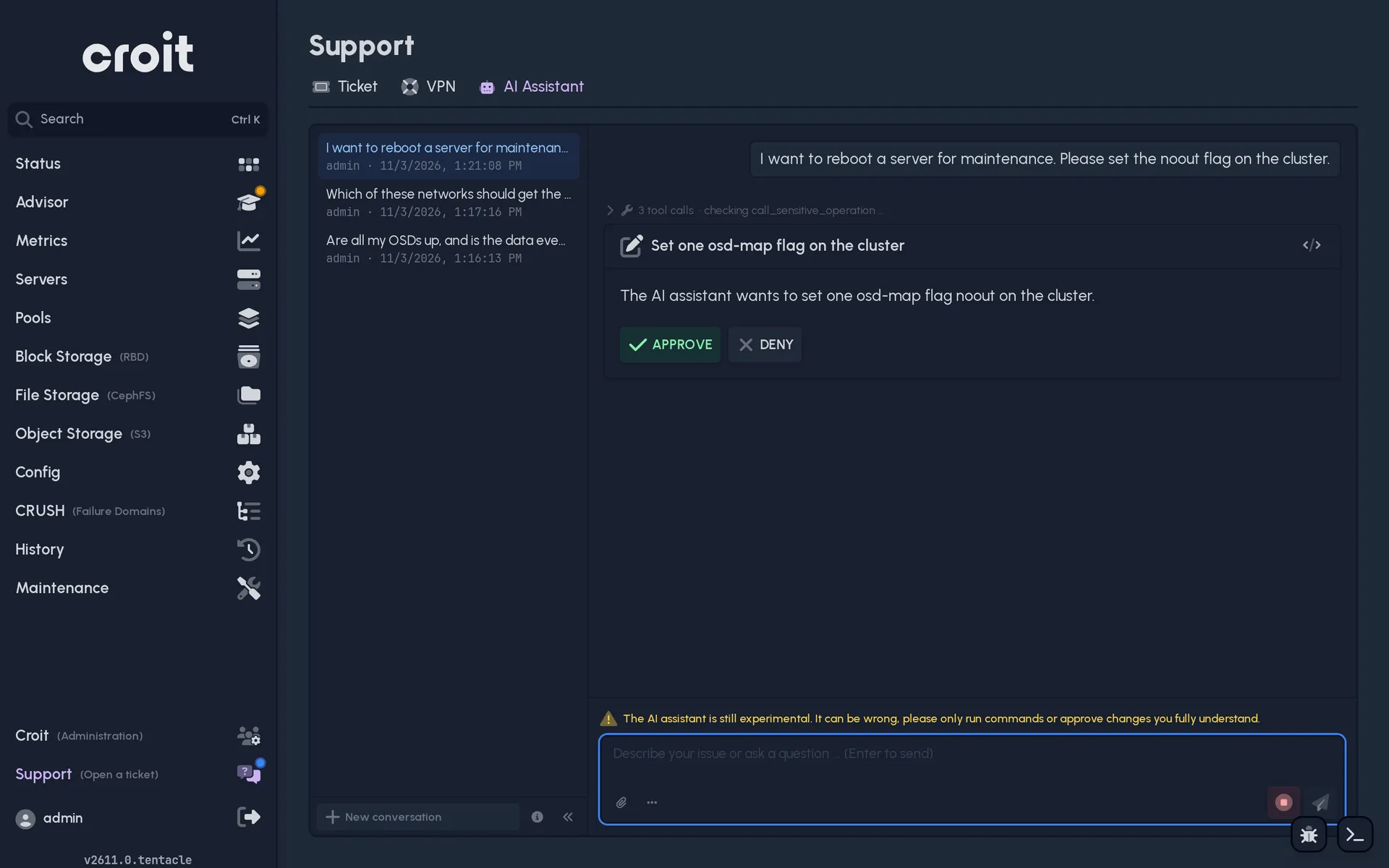
Read the AI assistant announcement →
croit has an MCP server
MCP, the Model Context Protocol, is the open standard AI agents use to work with other software. Every croit installation now runs an MCP server, so an agent such as Claude Code or opencode can read your cluster's state and operate it through croit.
The agent works with the permissions of the API token you give it. A token with only the Viewer role keeps it read-only. The Connect AI agents button under Croit > API tokens shows the setup for each agent, with your croit's address already filled in.
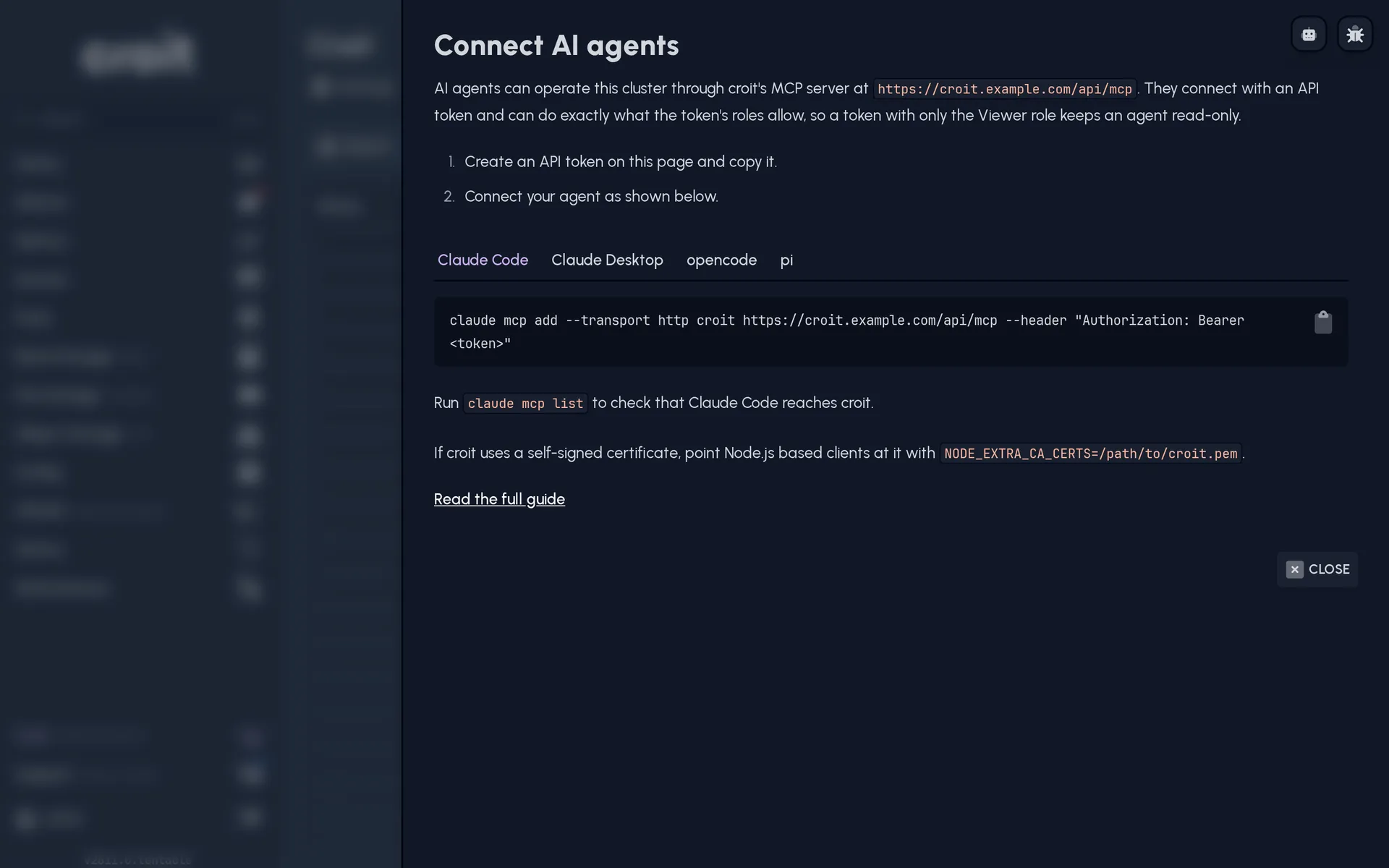
Read the MCP server announcement →
Learn more about AI agents and MCP →
Capacity forecasts per device class
Ceph groups OSDs into device classes, usually by the kind of disk: hdd, ssd or nvme. A pool lives on one class, so it runs out of space when that class does, however much room the others have left. And a class is only as full as its fullest OSD: once a single OSD crosses Ceph's nearfull or full ratio, writes to the pools on it slow down or stop.
The new Capacity page under Metrics shows each device class on its own. For every class it charts the used raw space against the class's size, and its average fill next to its fullest OSD, with the nearfull and full ratios drawn in. Tiles name the fullest OSD and forecast when it turns nearfull and full, based on how the class filled over the last month. A tile turns amber when a class gets close to nearfull or a date is less than a year away, and red once it is reached. The Utilization box on the dashboard links to the page.
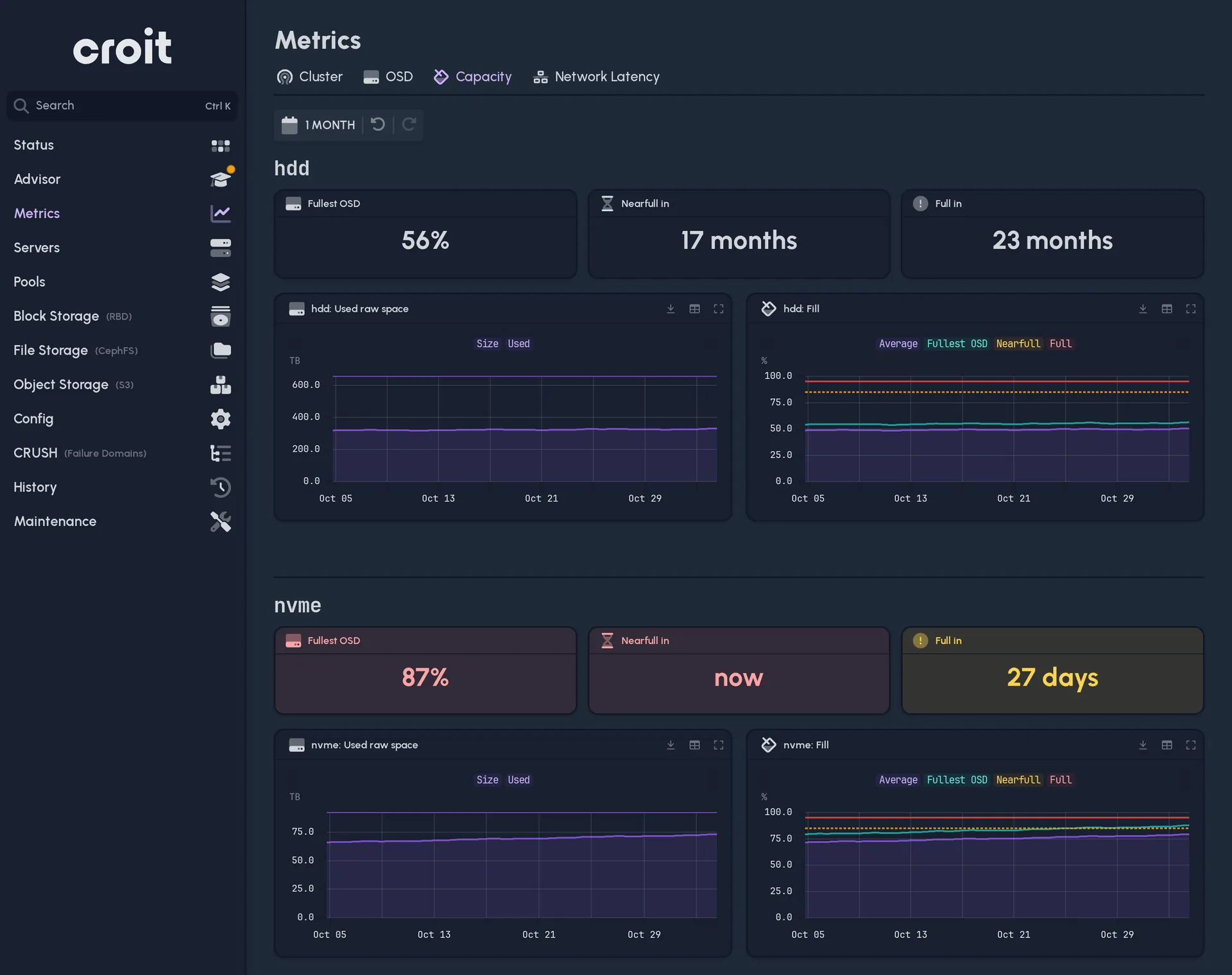
croit's warning about OSDs filling up uses the same forecast, and no longer calls an OSD full that is only filling up.
Hook scripts run in the order you choose
A hook script is a shell script croit runs for you when something happens in the cluster: a server boots, a disk fails, a schedule fires. When several scripts listen for the same event, you can now decide their order. Each hook has a Priority: lower numbers run first, and a script starts only once every script with a lower number has finished. The default is 0, so existing hooks keep running as they did.
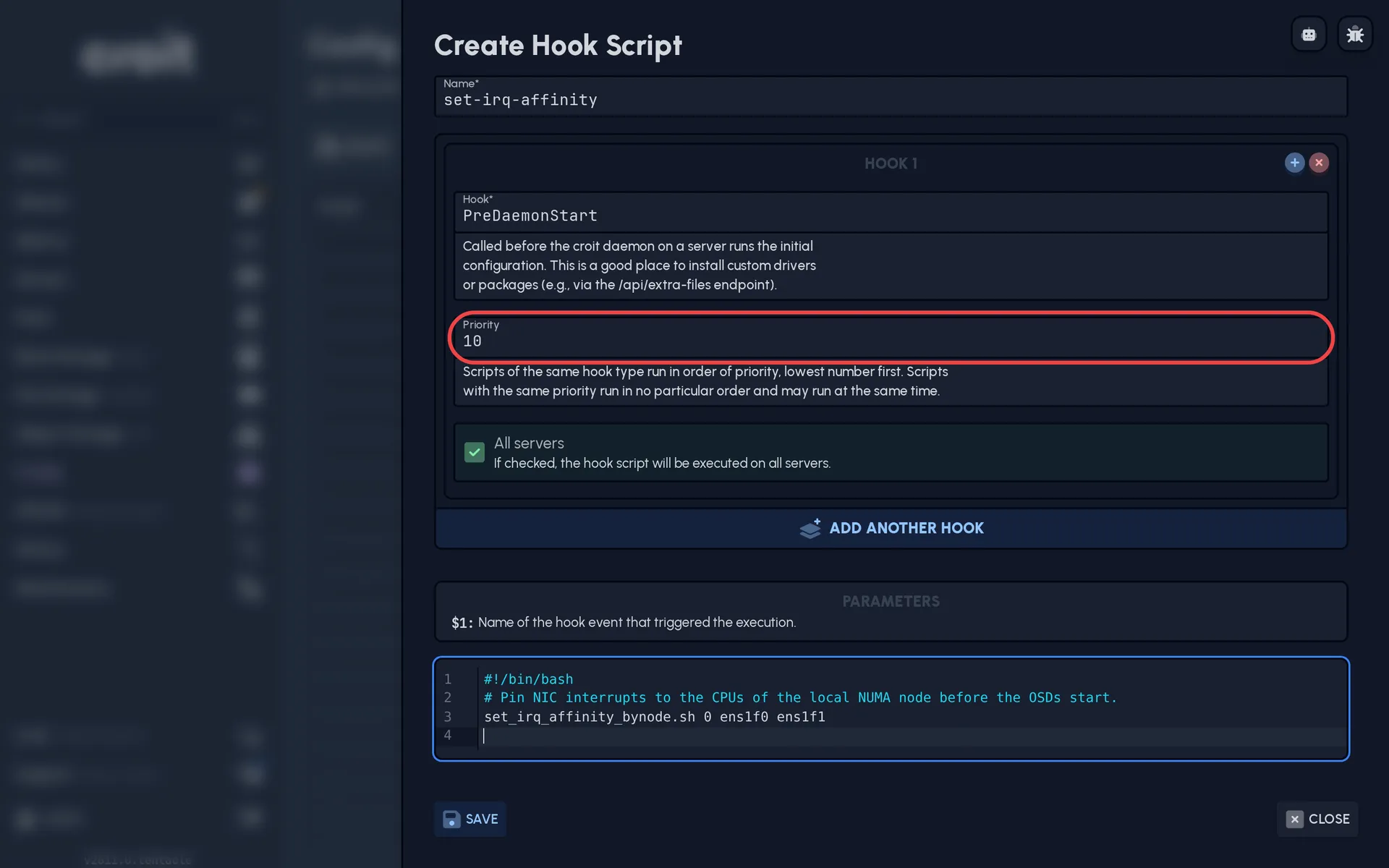
Learn more about hook scripts →
croit OS images boot Linux 7.2
The croit OS image is the operating system your servers boot. Until now it booted the 5.14 kernel AlmaLinux 9 keeps for its whole lifetime. Every croit OS image now boots Linux 7.2 instead, from ELRepo's kernel-ml, the mainline kernel packaged for Enterprise Linux. Your servers get it with the new image set, through the usual rolling reboot.
Security updates
v2611.0 comes with a number of security fixes from the past weeks:
- croit's Go dependencies are updated, which fixes CVE-2026-116587 in
go-jose. - The croit UI updates DOMPurify, the library that cleans HTML before the UI shows it, for GHSA-cg2g-xh64-v4q7 and GHSA-mrv2-3pqr-j5jr.
- The croit container updates its CA certificates package for a critical vulnerability, CVE-2026-114406. The previous release already carried a workaround for it; this one uses the official fix from AlmaLinux.
- The new OS images fix a use-after-free in the Linux kernel's IPv4 TCP stack, CVE-2026-98432.
Also in this release
- NFS-Ganesha gateways can turn on Ganesha's metrics and set its maximum number of connections.
- You can change the network interface of an SMB gateway member without removing it from the gateway.
- The new OS images update Ceph Tentacle, which fixes Ceph monitors crashing when a CephFS is created with standby-replay enabled (#80550), and croit-nfs to 2610.3.
- Several smaller bug fixes, listed in the changelog.
24/7 premium support
Running croit in production? Our team is available around the clock to help with upgrades, capacity planning and incidents.