
Documentation
- Getting Started Configuration Using CDM
- Clusters
- Fleet Configuration
- Capacity
- Metrics
- Servers, Pools and Services
- Logs
- Advisor
- Tasks and Audit
- S3 Multisite
- RBD Mirroring
- Support
Introduction
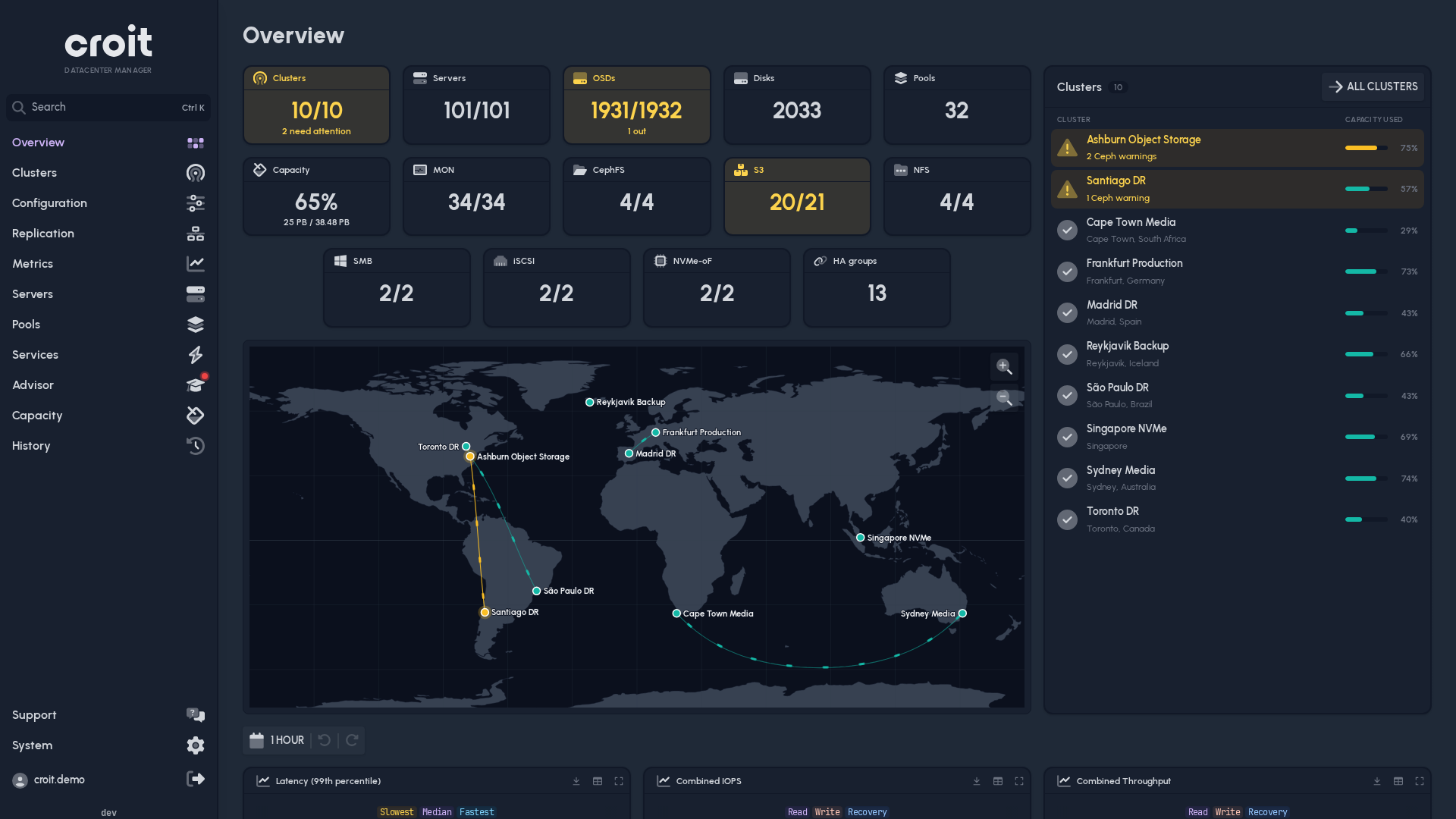
The croit Datacenter Manager (CDM) monitors and manages many Ceph and croit clusters from one interface.
NOTE
Try CDM in a minute with a single docker run: Try the Demo
Features
- Fleet overview with health, capacity and client I/O, on a world map
- Capacity forecasts
- Findings from all clusters in one list
- Fleet-wide tables of servers, OSDs, disks, pools, services, tasks and the audit trail
- Logs across all clusters
- Cluster configuration side by side, with templates
- Cluster actions, such as restarting services or rebooting servers
- S3 multisite and RBD mirroring: status and setup
- Support tickets and emergency support requests to croit
- Single sign-on through OpenID Connect
CDM runs as a single container and reads the clusters through their APIs. It changes a cluster only where an admin registered it with write access (Clusters).
What CDM offers for a cluster depends on its type: Cluster Types.