
Documentation
- Getting Started Configuration Using CDM
- Clusters
- Fleet Configuration
- Capacity
- Metrics
- Servers, Pools and Services
- Logs
- Advisor
- Tasks and Audit
- S3 Multisite
- RBD Mirroring
- Support
On this Page:
Clusters
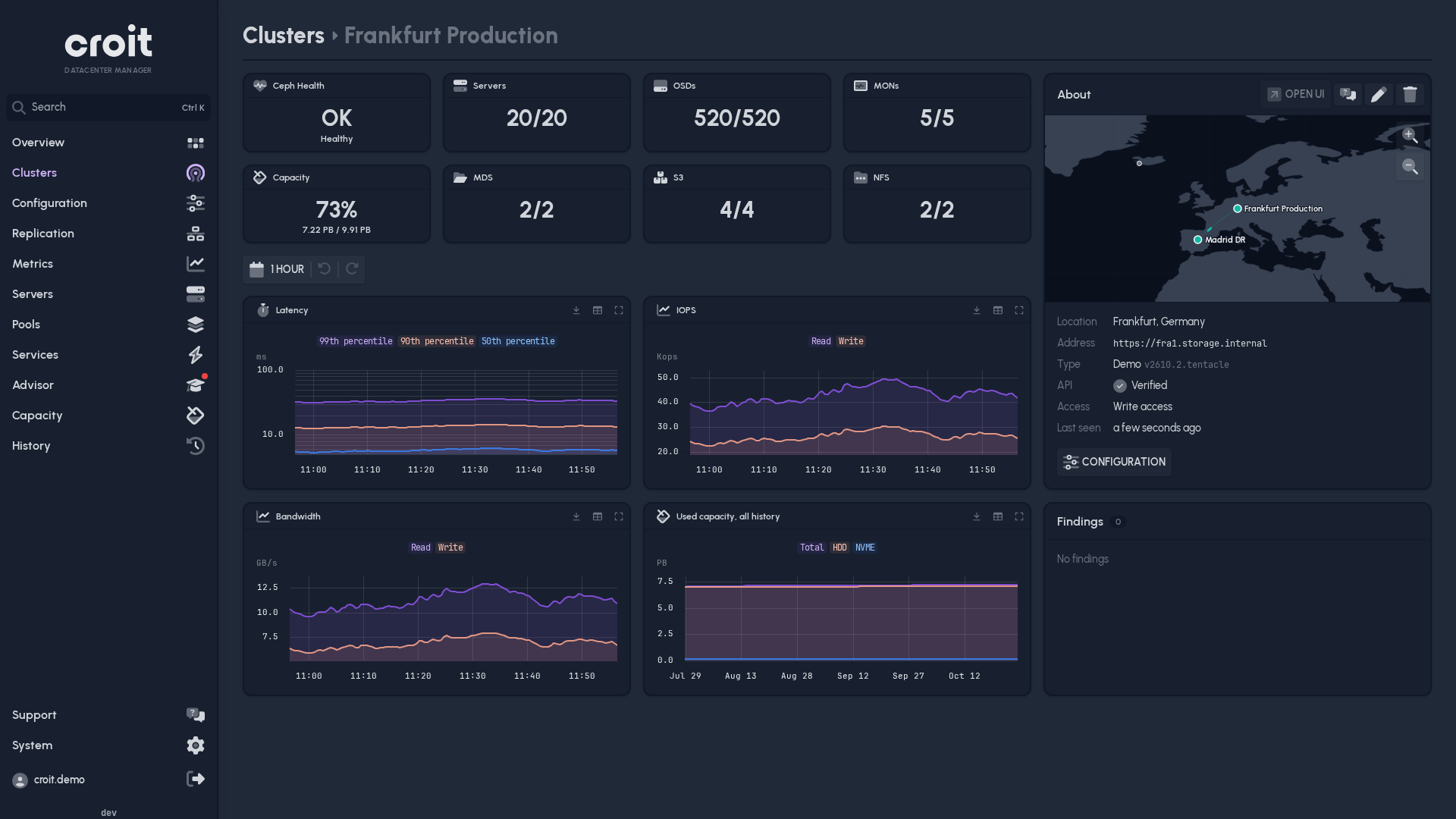
A cluster's page shows its charts and findings. The About card opens the cluster's own UI (Open UI) and support. Admins edit or remove the cluster there.
Adding a cluster
Clusters → Add Cluster:
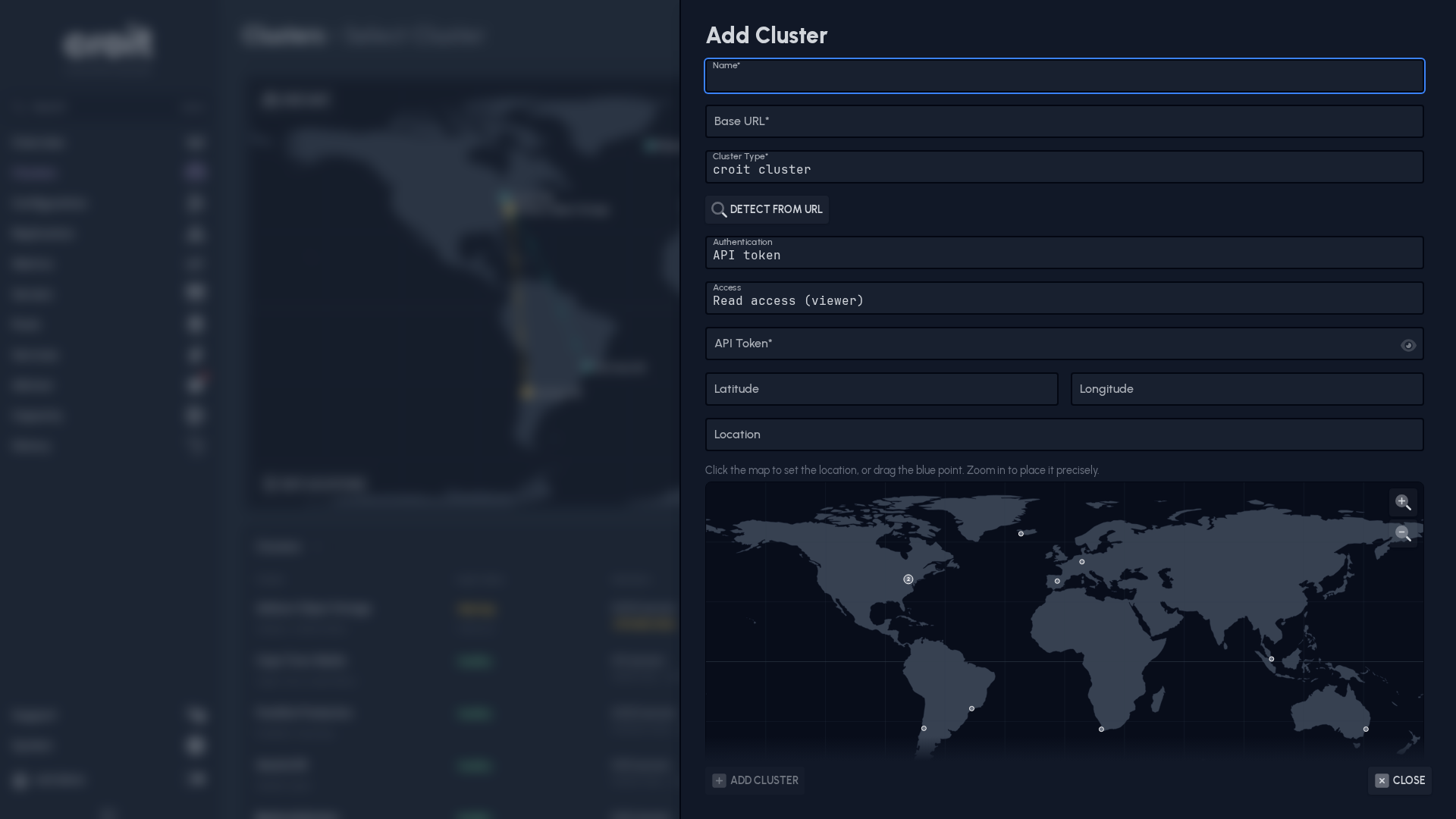
| Field | |
|---|---|
| Base URL | croit: https://10.0.0.10; Ceph: https://mgr-host:8443, any manager |
| Cluster Type | Detect from URL fills it in |
| Authentication | credentials; Ceph needs username and password |
| Access | see below |
| Latitude, Longitude, Location | optional, for the map |
Add anyway adds a cluster that cannot be reached yet.
Access
| Access | |
|---|---|
| Read access (viewer) | default; CDM only reads the cluster |
| Write access (admin) | CDM admins can also change the cluster from CDM |
Write access needs a licensed croit cluster and an admin credential. Where it is missing, CDM disables the change and says why.
Map
Show map on the Clusters page.
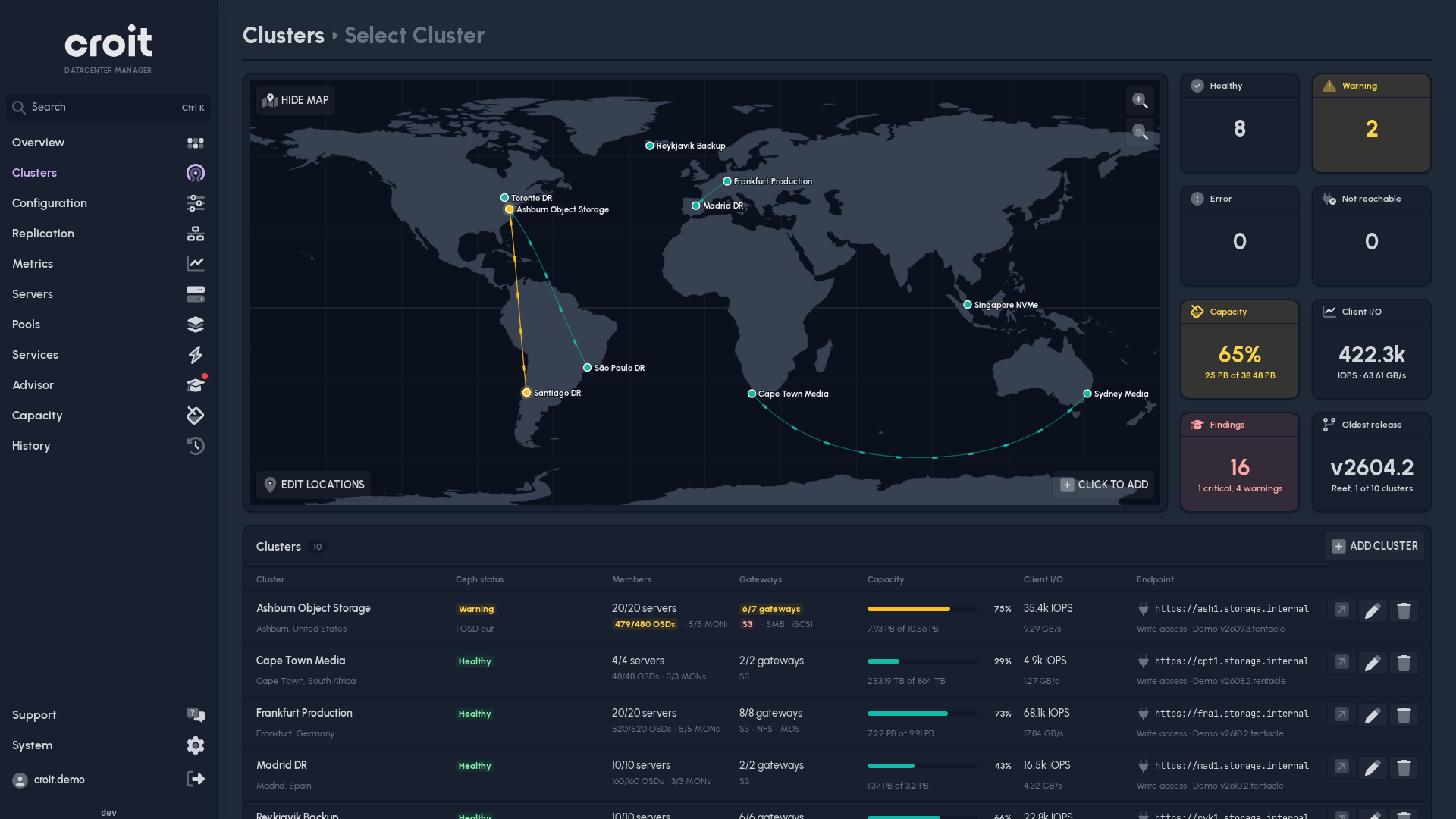
- Edit locations: drag the pins. Click a bubble of nearby clusters to move one of them.
- Click to add: opens Add Cluster at the clicked position.